Nano Banana Pro Examples
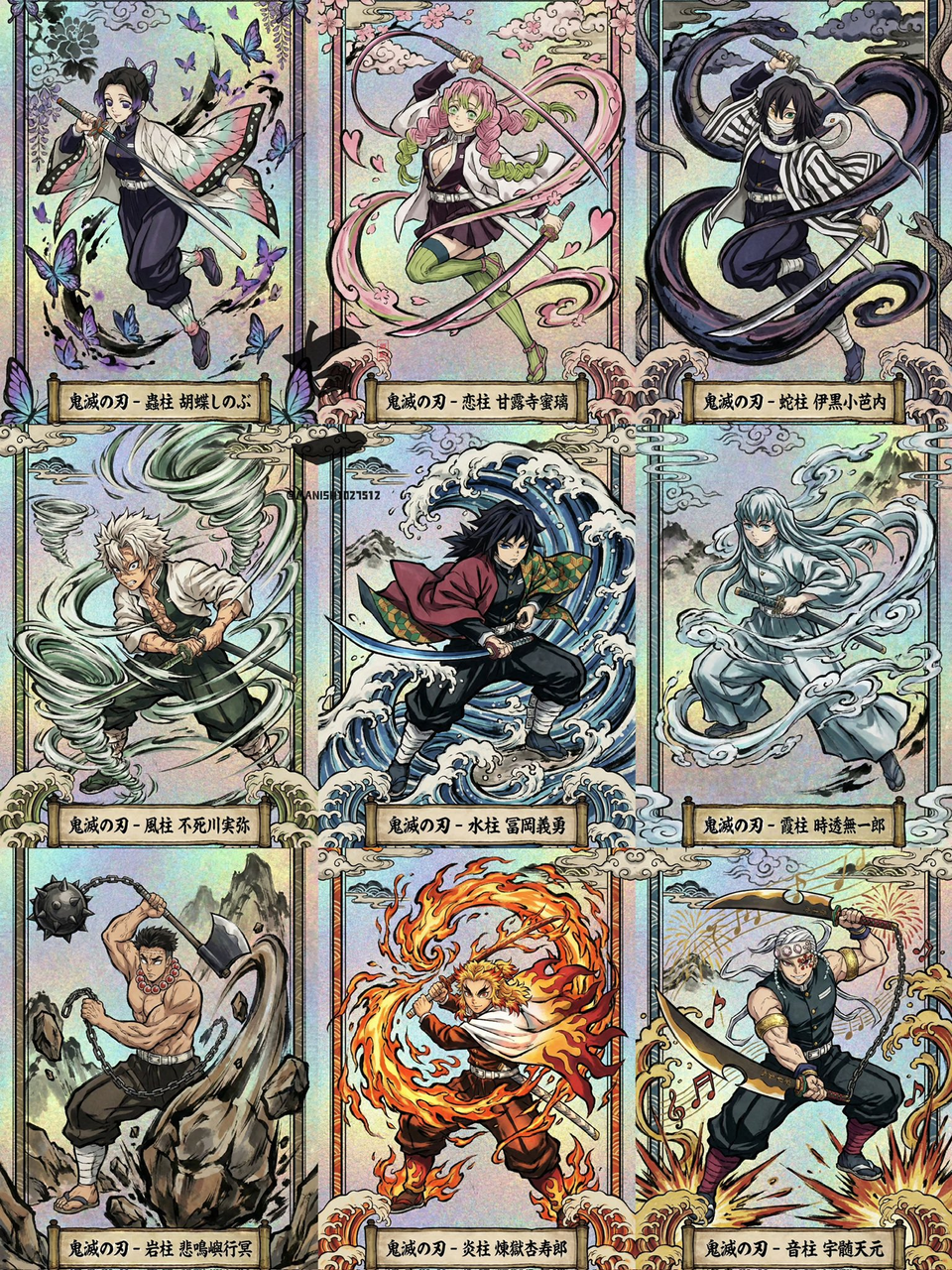
Example 1: Ukiyoe Flash Card (by @MANISH1027512)
| Output |
|---|
 |
Prompt:
Core Instruction: A Japanese Ukiyoe style collectible trading card design, vertical composition. The illustration style needs to closely mimic the visual aesthetics of "Demon Slayer", features include: ink outlines with varying thickness, traditional woodblock print color schemes, and dramatic dynamic composition.

Subject Description: The card protagonist is {Character Name} (Title: {Hashira Name/Title}), in a dynamic fighting pose, holding {Weapon Description}. The character is performing {Breathing Style Move Name}, surrounded by {Visual Effect Description} (e.g., giant flames / water dragon / whirlwind), these effects need to be presented in Traditional Japanese Sumi-e style.

Background and Material: The background needs to blend textured Holographic Foil effect, shimmering beneath the traditional ink elements.

Border: The image should have a decorative border composed of Traditional Japanese Patterns (such as Seigaiha or Asanoha). At the bottom, there is a stylized banner with "{Japanese Kanji Name}" written in ancient Japanese calligraphy.
[!NOTE] Need to input the required information in in the prompt
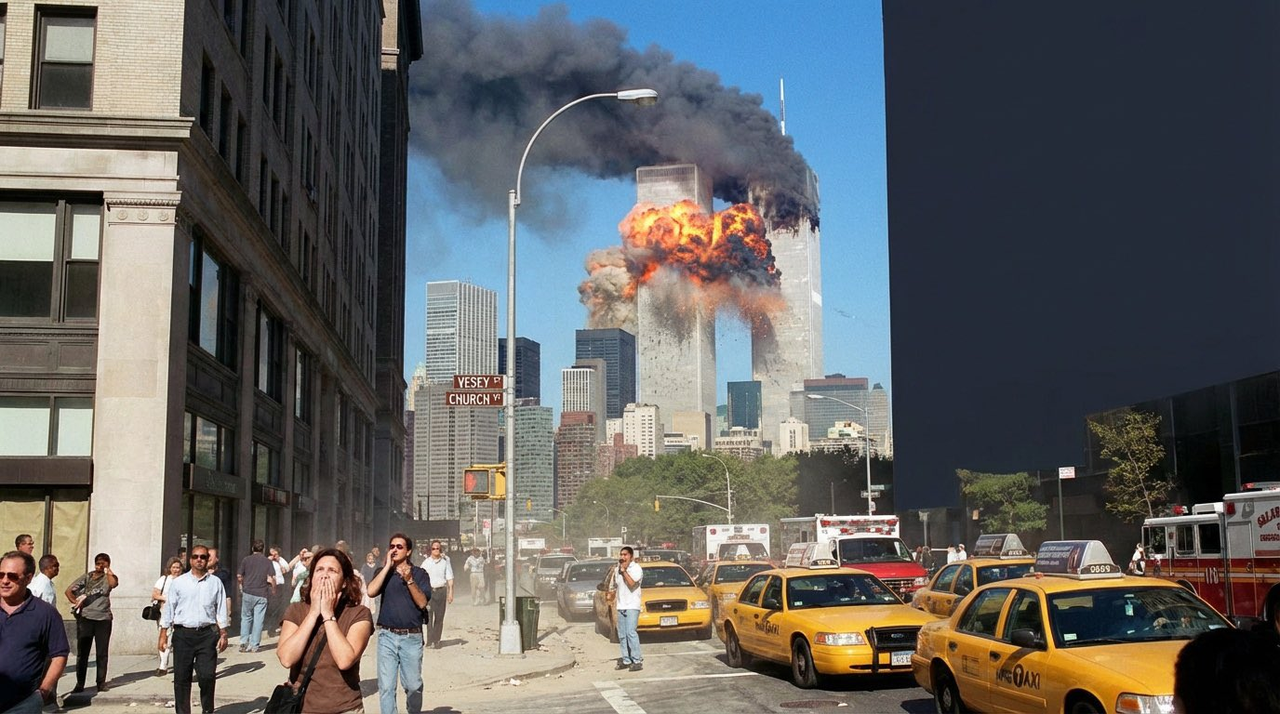
Example 2: Generate Image from Coordinates (by @TechieBySA)
| Output |
|---|
 |
Prompt:
Create an image at 40.7128° N, 74.0060° W, on September 11, 2001, at 08:46
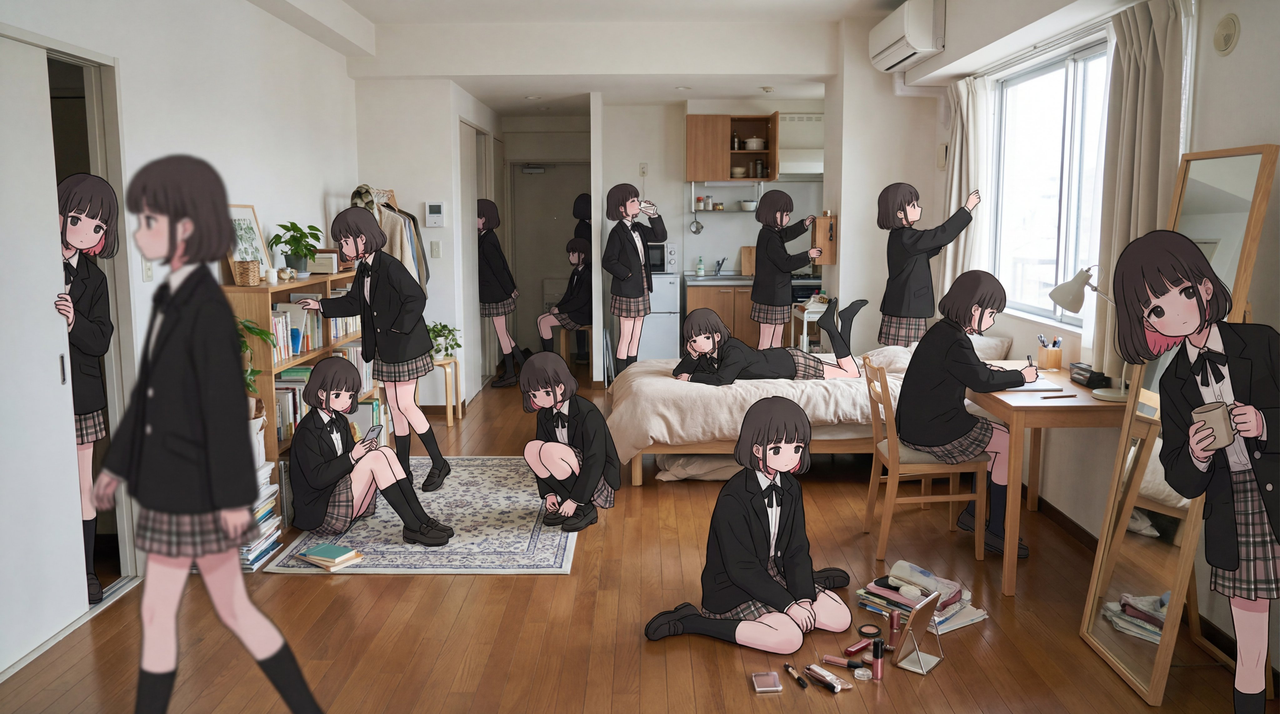
Example 3: Character Cloning (by @tapehead_Lab)
| Output |
|---|
 |
Input: Need to upload a reference image as the character object
Prompt:
Based on the uploaded reference character, shoot a real-life scene in a spacious Tokyo girl's apartment—a bright, lived-in studio, spatial proportions close to 1LDK. The room should contain white walls, warm wooden floors, beige curtains, a low bed with soft bedding, a desk with cosmetics, bookshelves, plants, a standing mirror, a rug, scattered personal items, and a compact kitchen area at the back of the room. The room must have strong depth of field, with distinct foreground, middle ground, and deep background layers.

Place about thirty characters identical to the reference character (face, hairstyle, clothing all identical to the reference character) in the room, each in a different action or interaction state. Adjust the distance, scale, height, and visibility between characters to make the room density look natural.

Foreground (very close to the lens/partially occluded):

- A person walking past the lens, slightly out of focus

- A hand or shoulder entering the frame

- One person approaching the lens

- One person half-hidden behind a large plant

- One person sitting directly in front, tying hair

- One person kneeling by the table organizing items

Middle ground (main room area):

- One person stretching by the bed

- One person sitting on the bed checking phone

- One person lying on the bed

- One person reaching under the bed

- One person organizing cosmetics on the table

- One person flipping through books on the bookshelf

- One person standing in front of the mirror

- One person squatting on the rug

- One person leaning against the wall

- One person looking out the window

- One person adjusting curtains

- One person carrying clothes

- One person drinking water from a cup

- One person arranging pillows

- One person sitting on the floor eating snacks

- One person doing a small jump or motion blur action

- One person moving a small chair

Background (deep depth/near kitchen and... corridor):

- One person standing by the stove drinking water

- One person opening the cupboard

- One person sitting on a stool

- One person leaning against the doorway

- One person walking towards the corridor

- One person's silhouette partially blocked by the refrigerator

- One person reaching for a high shelf

- One person standing far in the entrance area

- One person faintly visible through the corridor frame

- One person sitting on the floor near the kitchen rug

Ensure strong layering occlusion: foreground figures partially obscure middle ground figures, background figures appear smaller and present natural perspective falloff. Naturally scatter the thirty figures, avoiding symmetry or grid alignment. All figures use soft natural daylight lighting to ensure perfect blending with the environment.

Place the figures in a real-life background matching the illustration pose and composition, while faithfully retaining the illustration's texture and style. Use realistic lighting, depth of field, and subtle camera effects to make the illustration seamlessly connect with the real environment.
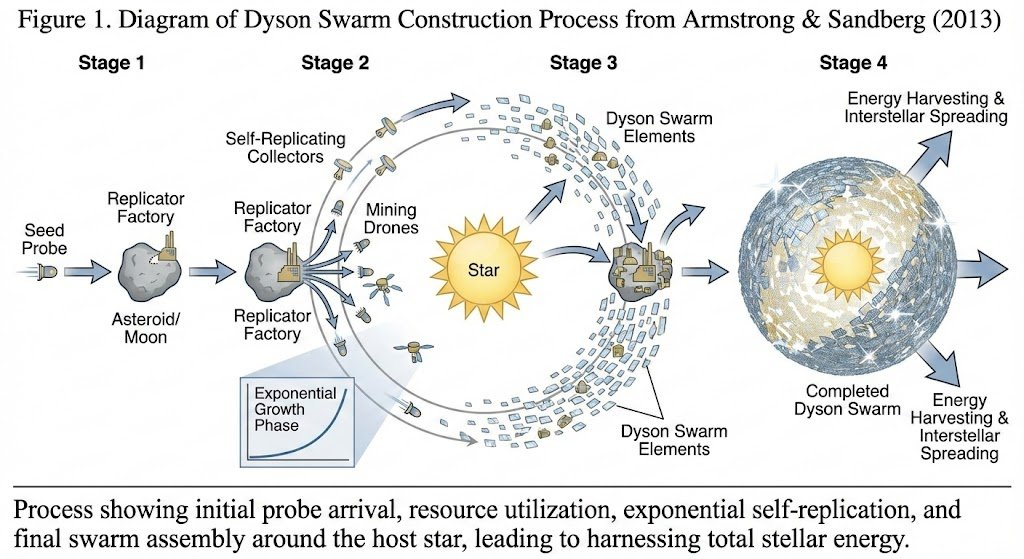
Example 4: Generate Flowchart from Document (by @anderssandberg)
| Output |
|---|
 |
Prompt:
The diagram illustrates the process of constructing a Dyson swarm based on the paper Armstrong, S., & Sandberg, A. (2013). Eternity in six hours: Intergalactic spreading of intelligent life and sharpening the Fermi paradox. Acta Astronautica, 89, 1-13.
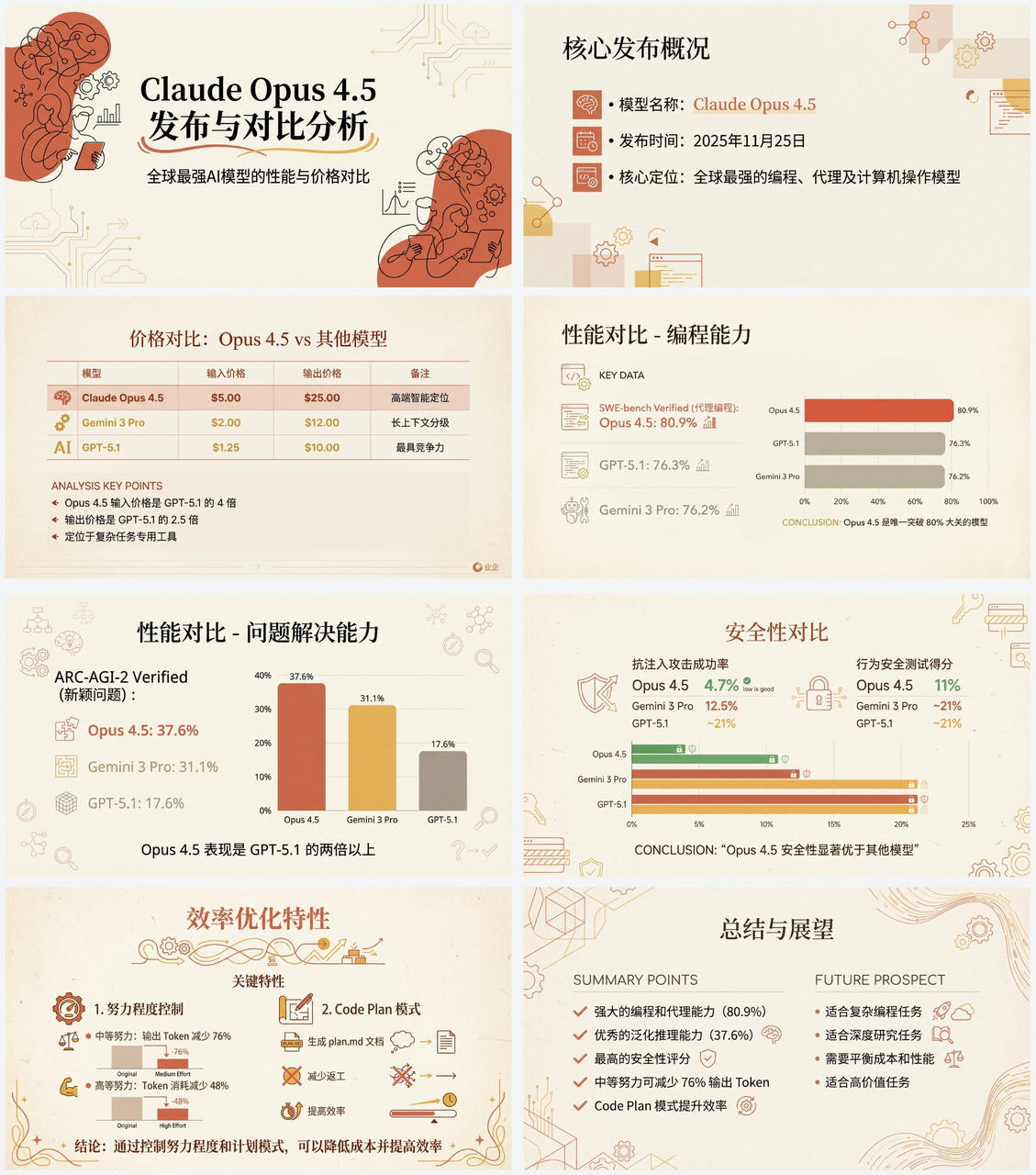
Example 5: Create PPT from Article (by @op7418)
| Output |
|---|
 |
Input: Need to upload article/text as content for generating PPT
Prompt:
Help me create a set of Chinese PPTs that middle school students can understand based on the article below.

First write a PPT outline, planning the content of each PPT page.

Then throw the content of each PPT page to Nana Banana pro to generate the corresponding PPT page, ensuring consistent style.

The specific style of the PPT should be "Anthropic/Claude style" "Warm Academic Humanism" design.

Background: Use warm beige/cream (# F3F0E9) as the base color, mimicking high-quality paper texture.

Font: Use elegant Serif for titles, and modern Sans-serif for body text.

Color Scheme: Main colors are Terracotta Red (# D67052) and Mustard Yellow (# F0B857), with Dark Navy Blue as accents. Avoid neon colors or pure black.

Visual Elements: Use a typography-focused grid layout, illustration style should be abstract, organic black hand-drawn line art, placed on solid Terracotta Red blocks, some key information uses card layout.

Charts: Flat, minimalist bar charts, emphasizing data contrast, removing excess borders.

Both text and images are generated by Nano Banana Pro, also do not turn the PPT into a single image, one image per page.

Article content is: []
Example 6: Character Deconstruction (by @cheerselflin)
| Output |
|---|
 |
Input: Need to upload a character image as reference
Prompt:
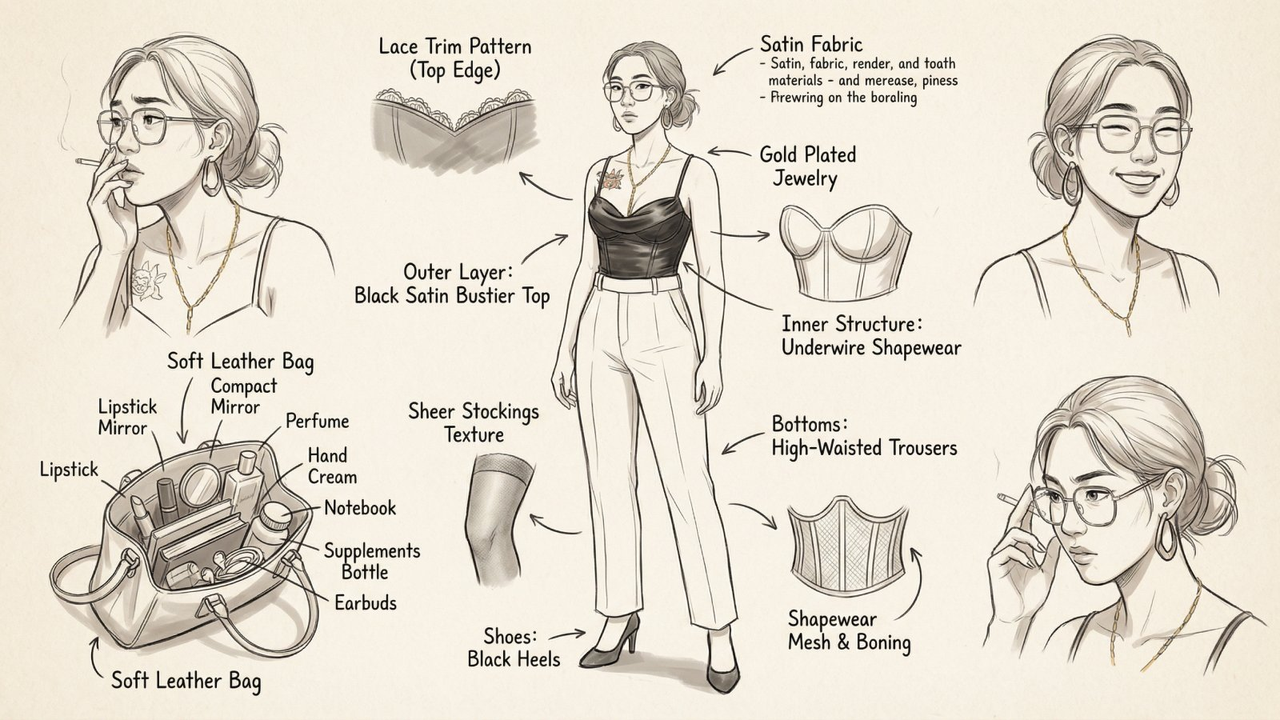
Hand-drawn style fashion concept breakdown diagram.

Center: A full-body shot of a stylish, confident, slightly sexy (but not explicit) female character, with a natural and energetic pose.

Surrounding: Structured layout of her key elements:

• Clothing layers—showing coat, underwear, leggings (lace, tulle material), shapewear, and zooming in on detail patterns.

• Expression sheet—3-4 facial expressions (neutral, shy, surprised, focused).

• Close-up shots—fabric fold textures, skin details, hand gestures.

• Lifestyle and accessories—opened handbag containing daily items: lipstick, perfume, compact powder, hand cream, diary, health supplements.

• Material annotations—handwritten style notes next to each item (e.g., "soft lace", "matte leather", "shade #520").

Background: Soft beige or parchment texture, creating a design sketch atmosphere.

Lighting: Clean and soft shadows, making the image integrated.

Output: 4K HD 2D illustration, combining sexiness and fashion sense.

Language: Chinese and English labels.
Example 7: Behind the Scenes of Item Creation (by @ZHO_ZHO_ZHO)
| Example |
|---|
 |
Input: Need to upload a reference image
Prompt:
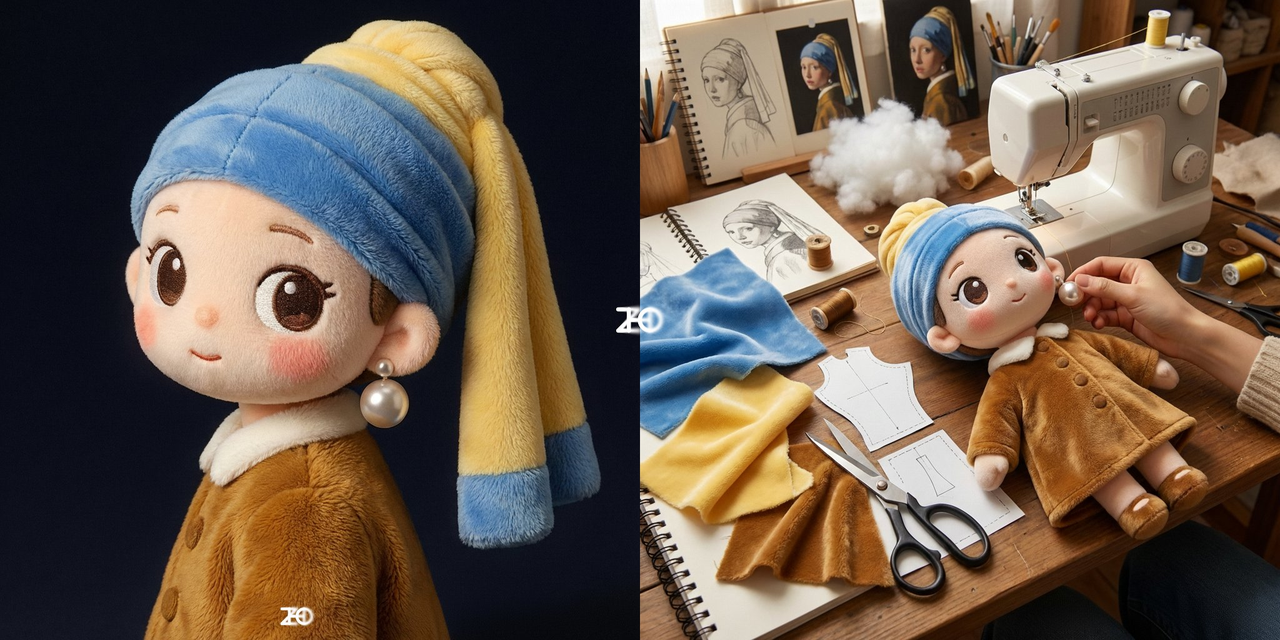
I want to see how this was made
Example 8: Children's Literacy Newsletter (by @lxfater)
| Output |
|---|
 |
Prompt:
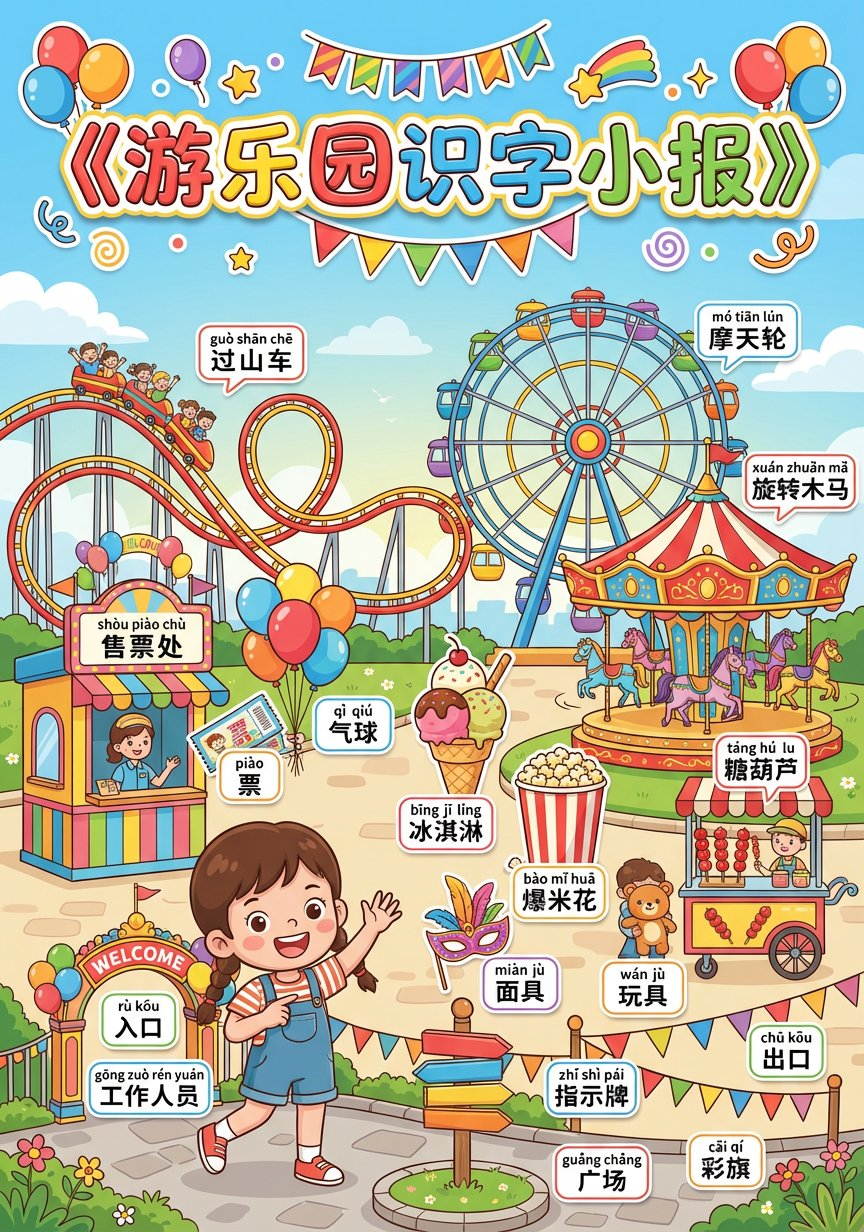
Please generate a children's literacy newsletter "Amusement Park", vertical A4, learning newsletter layout, suitable for 5–9 year old children to recognize words and identify objects from pictures.
1. Newsletter Title Area (Top)
Top center large title: "Amusement Park Literacy Newsletter"
Style: Cross newsletter / Children's learning paper feel
Text requirements: Large, eye-catching, cartoon handwritten font, colorful outline
Decoration: Add sticker-style decorations related to Amusement Park around it, bright colors
2. Newsletter Body (Middle Main Image)
Center of the picture is a Cartoon Illustration style "Amusement Park" scene:
Overall atmosphere: Bright, warm, positive
Composition: Object boundaries are clear, easy to correspond to text, not too crowded.
Scene Zoning and Core Content
Core Area A (Main Objects): Show the core activities of the Amusement Park (children playing on rides).
Core Area B (Supporting Facilities): Show related tools or items (ticket booth, snacks, signage).
Core Area C (Environmental Background): Reflect environmental features (entrance, road signs, colorful flags, green space, etc.).
Theme Characters
Role: 1 cute cartoon character (Identity: Amusement Park staff/visitor child both ok).
Action: Interacting naturally with the scene (e.g., smiling and pointing the way, waving welcome, playing with children).
3. Must-Draw Objects and Literacy List (Generated Content)
Please be sure to clearly draw the following objects in the picture and reserve space for labels:
1. Core Roles and Facilities:
gōng zuò rén yuán Staff
shòu piào chù Ticket Booth
guò shān chē Roller Coaster
mó tiān lún Ferris Wheel
xuán zhuǎn mǎ Merry-Go-Round
2. Common Items/Tools:
piào Ticket
qì qiú Balloon
bīng jī líng Ice Cream
bào mǐ huā Popcorn
táng hú lu Tanghulu
miàn jù Mask
wán jù Toy
xiǎo qí zi Small Flag
3. Environment and Decoration:
rù kǒu Entrance
chū kǒu Exit
zhǐ shì pái Signpost
cǎi qí Colorful Flags
guǎng chǎng Square
(Note: The number of objects in the picture is not limited to this, but the above list must be the focus of depiction; total 18 typical nouns, suitable for 5–9 year old children literacy.)
4. Literacy Annotation Rules
Label the above list of objects with Chinese literacy labels:
Format: Two-line system (first line Pinyin with tones, second line Simplified Chinese characters).
Style: Colorful small sticker style, white background with black text or dark text, clearly readable.
Layout: Labels close to corresponding objects, not blocking the subject.
5. Art Style Parameters
Style: Children's picture book style + Literacy newsletter style
Color: High Saturation, Warm Tone
Quality: 8k resolution, high detail, vector illustration style, clean lines.
Example 9: Generate Material Texture (by @someidesign)
| Example |
|---|
 |
Input: Need to upload a reference image
Prompt:
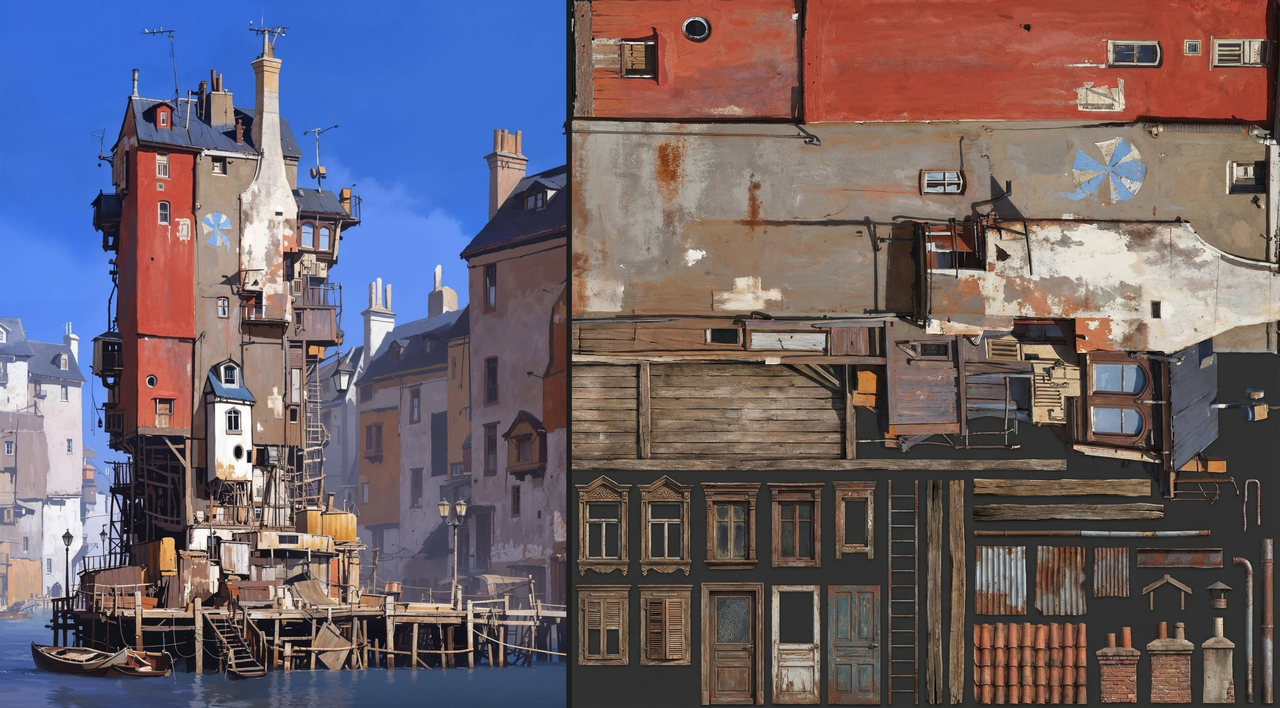
Can you help me generate a decorative atlas using the texture of this building?
Example 10: Add Giant Creature to City Image (by @AI_GIRL_DESIGN)
| Output |
|---|
 |
Input: Need to upload a city reference image
Prompt:
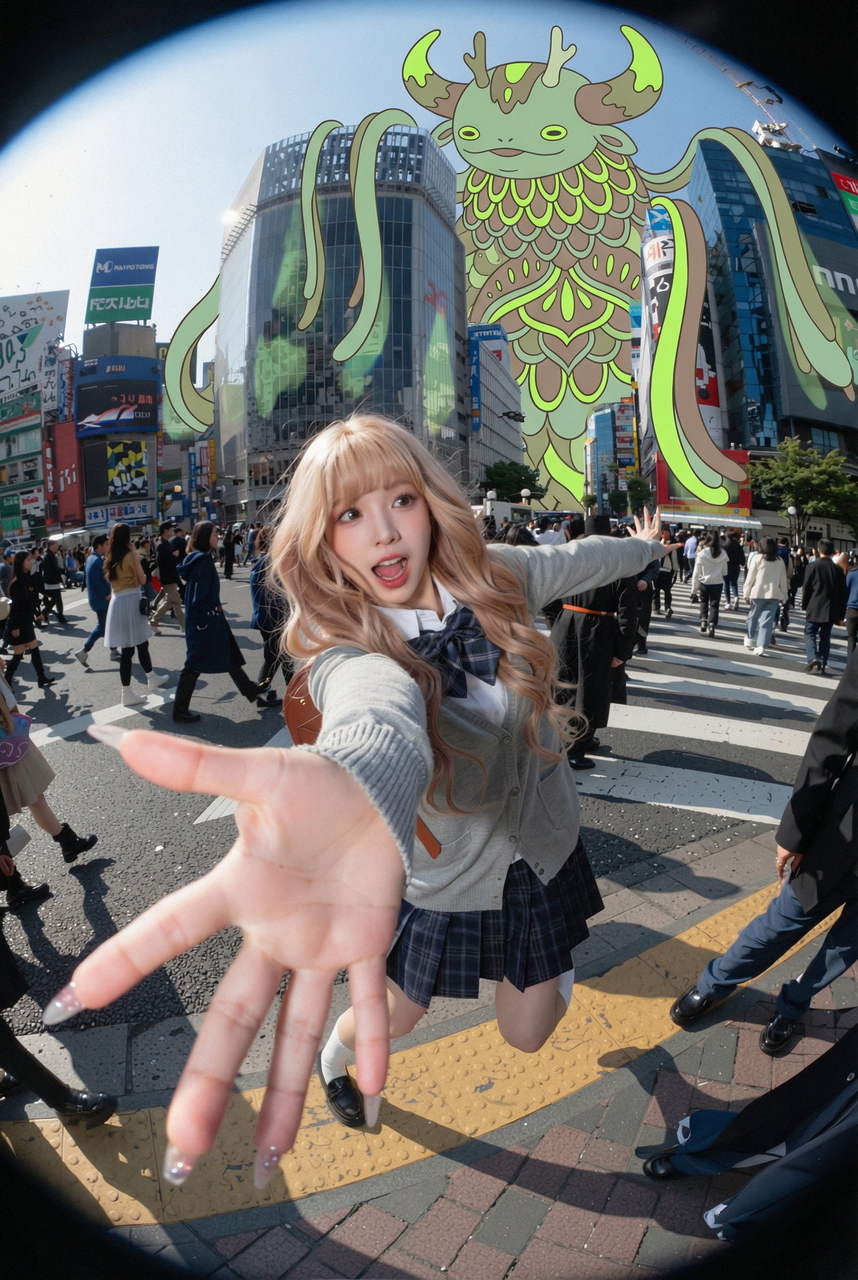
Use the uploaded city photo as the base map. Do not change the real buildings, streets, vehicles or people in the photo. Maintain the authenticity of the photo. Add a very huge, stylized illustration creature in the sky above and behind the buildings, as if it is overlooking the entire city. The creature should be drawn in a flat graphic style, with clear outlines, and use limited neon colors (such as soft neon green, neon yellow and lime green), similar to murals or poster illustrations.
Creature Design:
- Fantasy whimsical world, not horror or violent
- Composed of layered shapes, scales, hair or floral patterns
- Long arms or hair hanging beside the buildings
- Huge horns or other peculiar features clearly visible against the sky
Fusion with photo:
- Place the creature behind the edge of the building, making part of its body appear behind the edge of the building, pay attention to perspective relationship
- Use correct overlapping methods: building edge in front, creature behind, making it blend into the scene
- If necessary, add very soft shadows or color reflections on the surface of nearby buildings, but keep it subtle
- Maintain the original brightness of the sky, making the illustration clearly stand out
Optional:
- Add some small, simple illustration figures (flat, minimalist style) on the street, such as walking a dog or crossing the road, but do not block real people.
Overall atmosphere: Dreamy surreal city scene, a huge, friendly illustration creature appears above realistic buildings, combining real photos with simple modern illustrations.
Example 11: Toy Disassembly Display (by @ZeroZ_JQ)
| Output |
|---|
 |
Prompt:
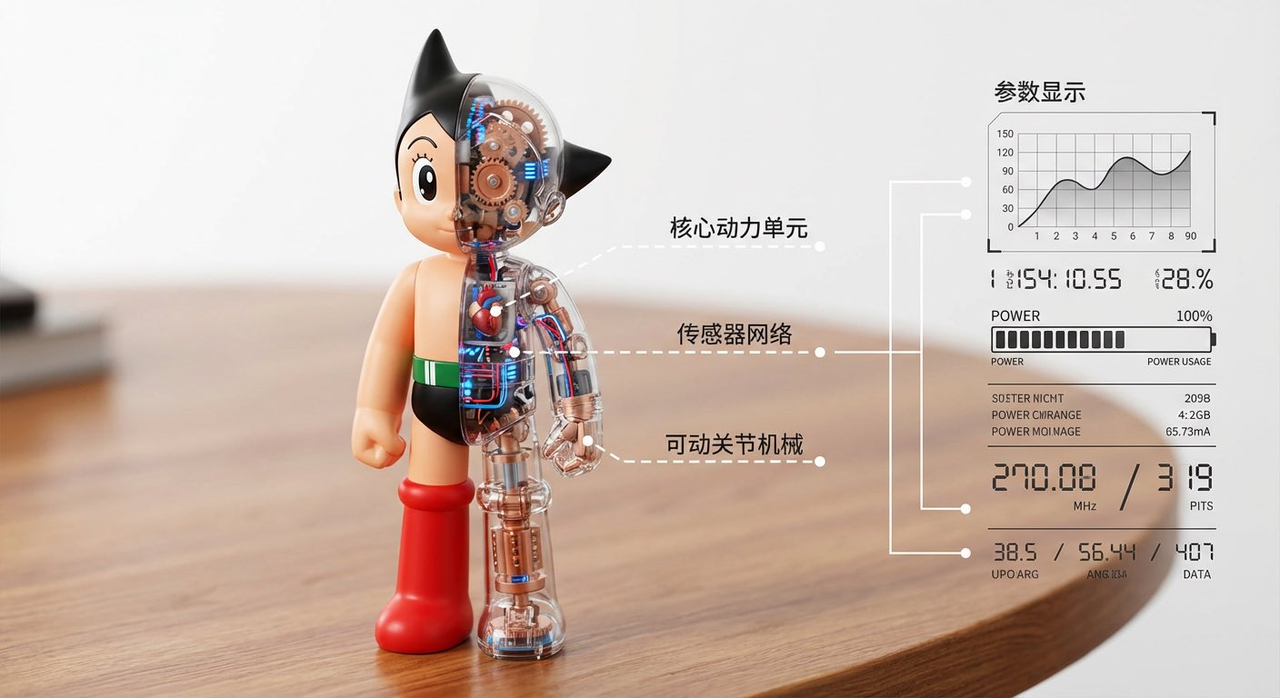
There is only one [Astro Boy] toy on the table. The toy is displayed split in half, left and right. The left half of the toy is the normal toy image, and the right half is a transparent shell, clearly showing the internal structure inside, with white lines pointing out what each part is. On the desktop, bright background, blurred table. The left side shows this half-transparent half-solid toy, and the right side of the picture shows parameters pointed out by various lines.
[!NOTE] Need to input the required toy name in [] in the prompt
Example 12: Fluffy Plush Toy (by @toolfolio)
| Output |
|---|
 |
Input: Need to upload a reference image
Prompt:
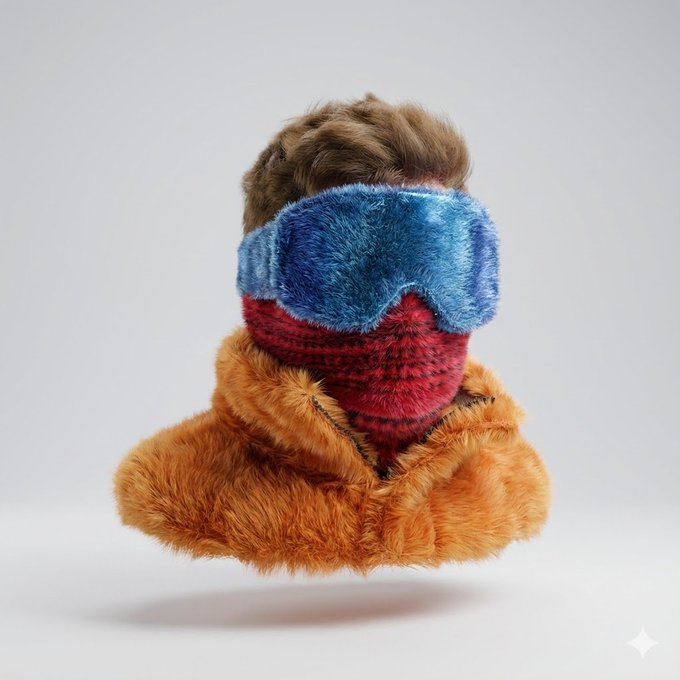
Convert a simple flat vector logo into a soft, fluffy 3D object. Use original colors. The object is completely covered in fur, with hyper-realistic fur texture and soft shadows. It is located in the center of a clean light gray background, floating gently in the air. The style is surreal, tactile and modern, creating a comfortable and playful feeling. Use studio lighting and high-resolution rendering.
Example 13: Crystal Texture Emoji (by @ZHO_ZHO_ZHO)
| Output |
|---|
 |
Prompt:
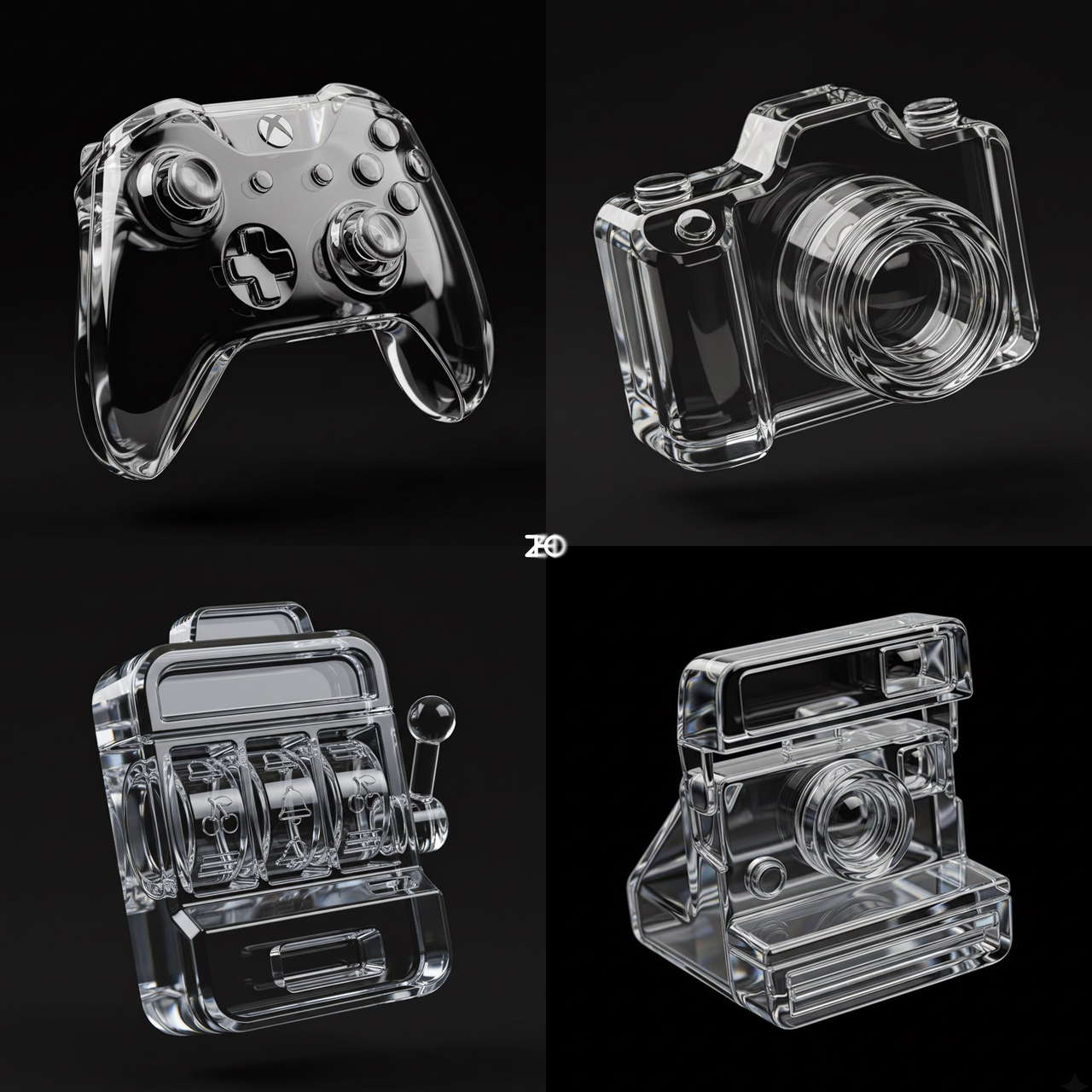
A photorealistic, highly detailed image featuring [a 3D Polaroid camera] rendered in clear, highly polished transparent glass or crystal material. [The body has distinct thickness and dimensional depth, the iconic shape of a classic Polaroid camera—boxy body, front lens, top viewfinder, front shutter button, and bottom film slot—all presented in simplified yet extremely precise geometric structures, making it instantly recognizable without any patterns]. All edges are treated with rounded chamfers and smooth curved surfaces, creating elegant refraction effects under light. The camera is placed slightly tilted, as if floating above a clean, flawless, seamless pale beige or very light gray studio background.

Lighting is bright, clean professional studio light, focusing on highlighting the transparency, specular reflection and refraction characteristics of the glass material. Sharp and delicate highlights appear on the body chamfers, film slot edges and lens rings, highlighting the crystal texture and luxurious vision. Subtle refraction, light bending and local distortion effects are produced when light penetrates the interior of the glass body, especially obvious in the lens thickness variation area, inside the film slot and near the top viewfinder, greatly enhancing realism and visual impact. A soft, diffuse shadow falls below and slightly behind the camera, giving the picture a sense of groundedness without destroying the minimalist temperament.

The overall aesthetic style is minimalist, modern, and clean, presenting the visual effect of high-end product photography and concept art rendering. The focus of the picture is completely on the crystal clear material performance and classic geometric shape of the glass Polaroid camera. The image as a whole is high-key and shallow depth of field processing, keeping the Polaroid camera in absolute sharp focus, while the background is softly blurred, thereby maximizing the subject.
[!NOTE] Need to input the required item name in [] in the prompt
Example 14: Fluffy Inflatable Toy (by @gizakdag)
| Output |
|---|
 |
Input: Need to upload a reference image
Prompt:
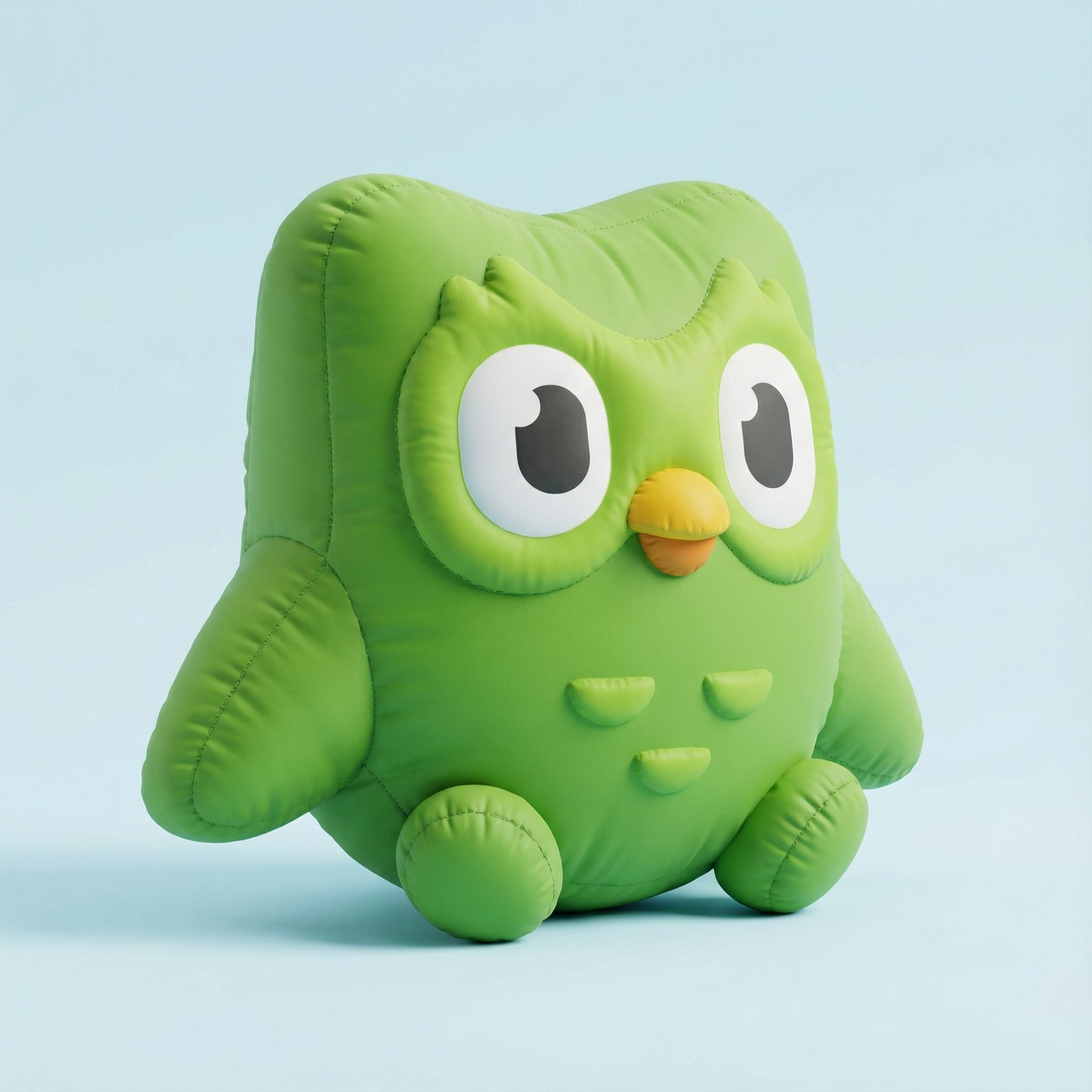
Create a high-resolution 3D rendering of the logo in the attachment, the shape should be an inflatable fluffy object. The shape should appear soft and full, like a plush balloon or inflatable toy. Use a smooth matte texture and add subtle fabric folds and stitching to highlight the inflatable effect. The object should be slightly elastic, supplemented by soft shadows and lighting to enhance volume and realism. Place it on a simple background (light gray).
Example 15: Hand-drawn Isometric View (by @AmirMushich)
| Input | Output |
|---|---|
 |  |
Input: Need to upload a reference image
Prompt:
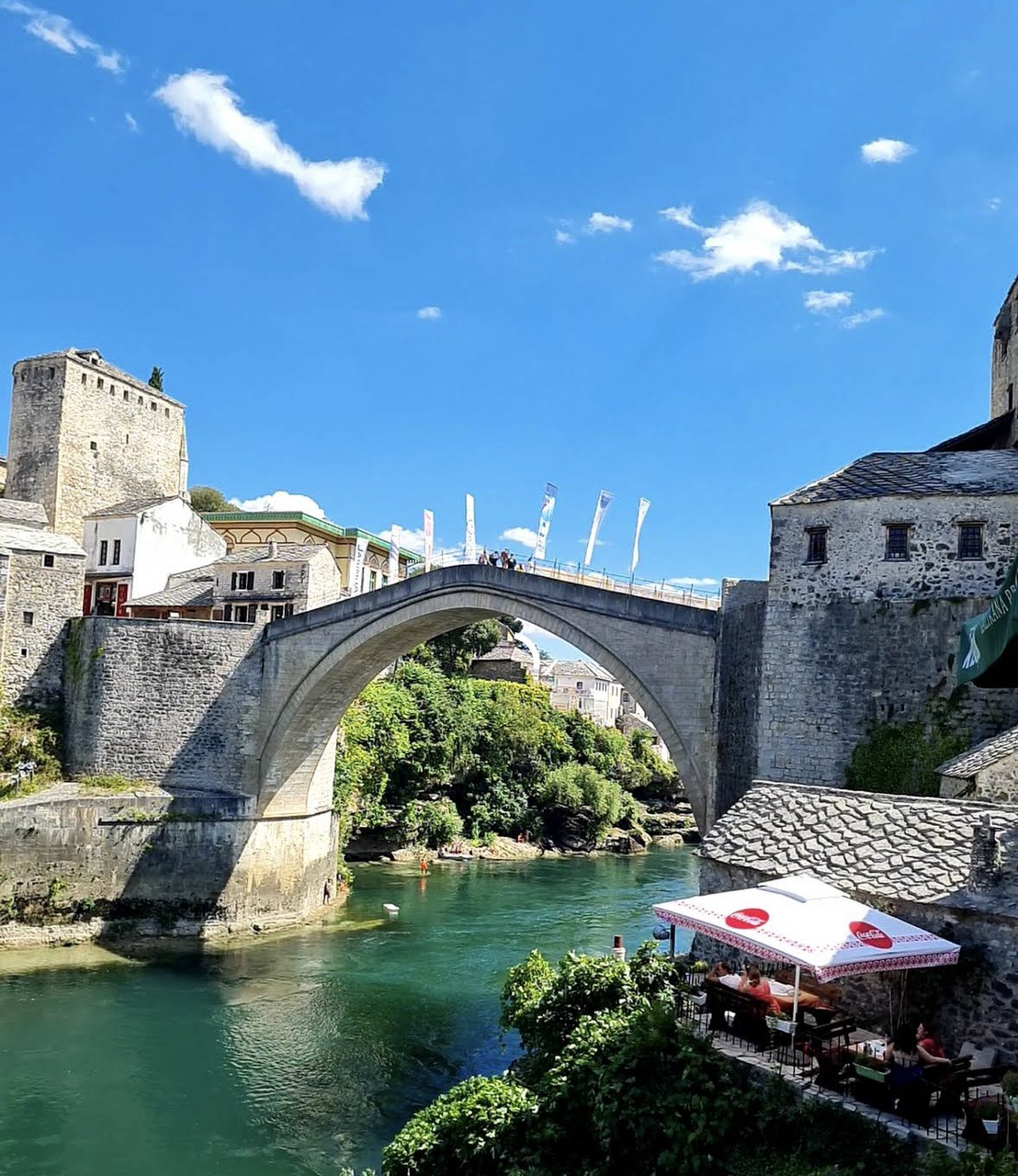
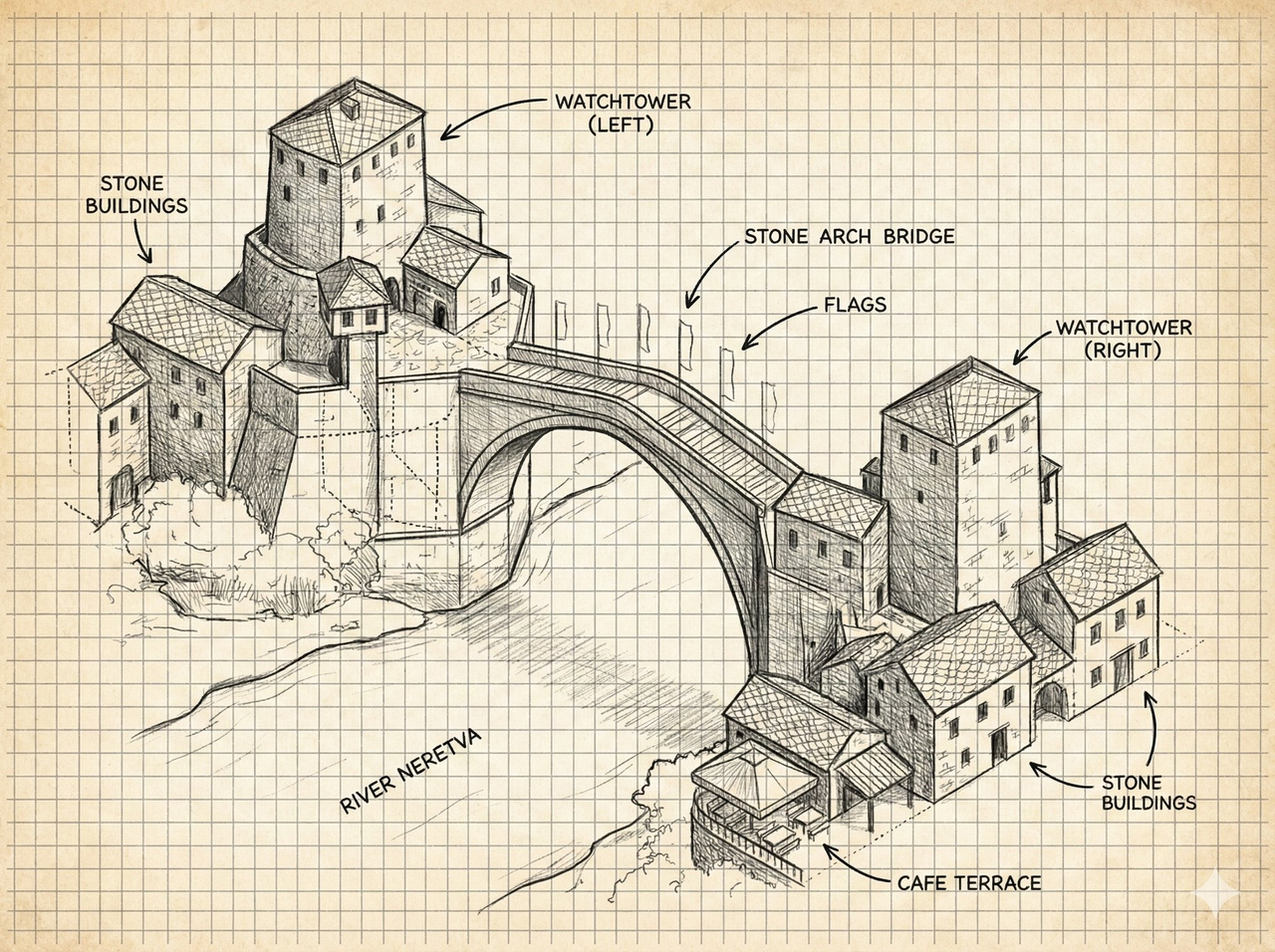
Draw a hand-drawn isometric diagram of this street
Example 16: Reveal Behind-the-Scenes of Photo Creation (by @icreatelife)
| Output |
|---|
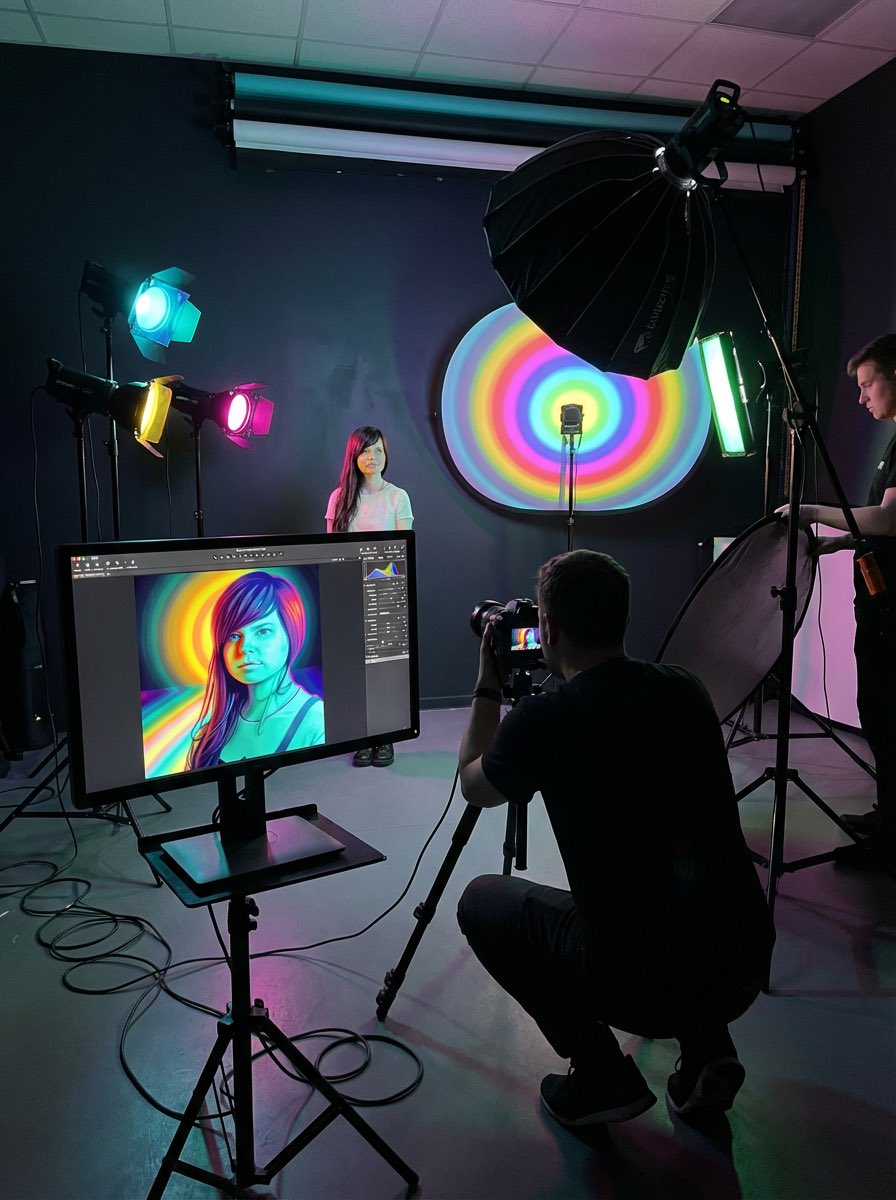 |
Input: Need to upload a reference image
Prompt:
I want to see the behind-the-scenes of this photo shoot and understand how it was born.
Example 17: Estimate Age from Face (by @Samann_ai)
| Output |
|---|
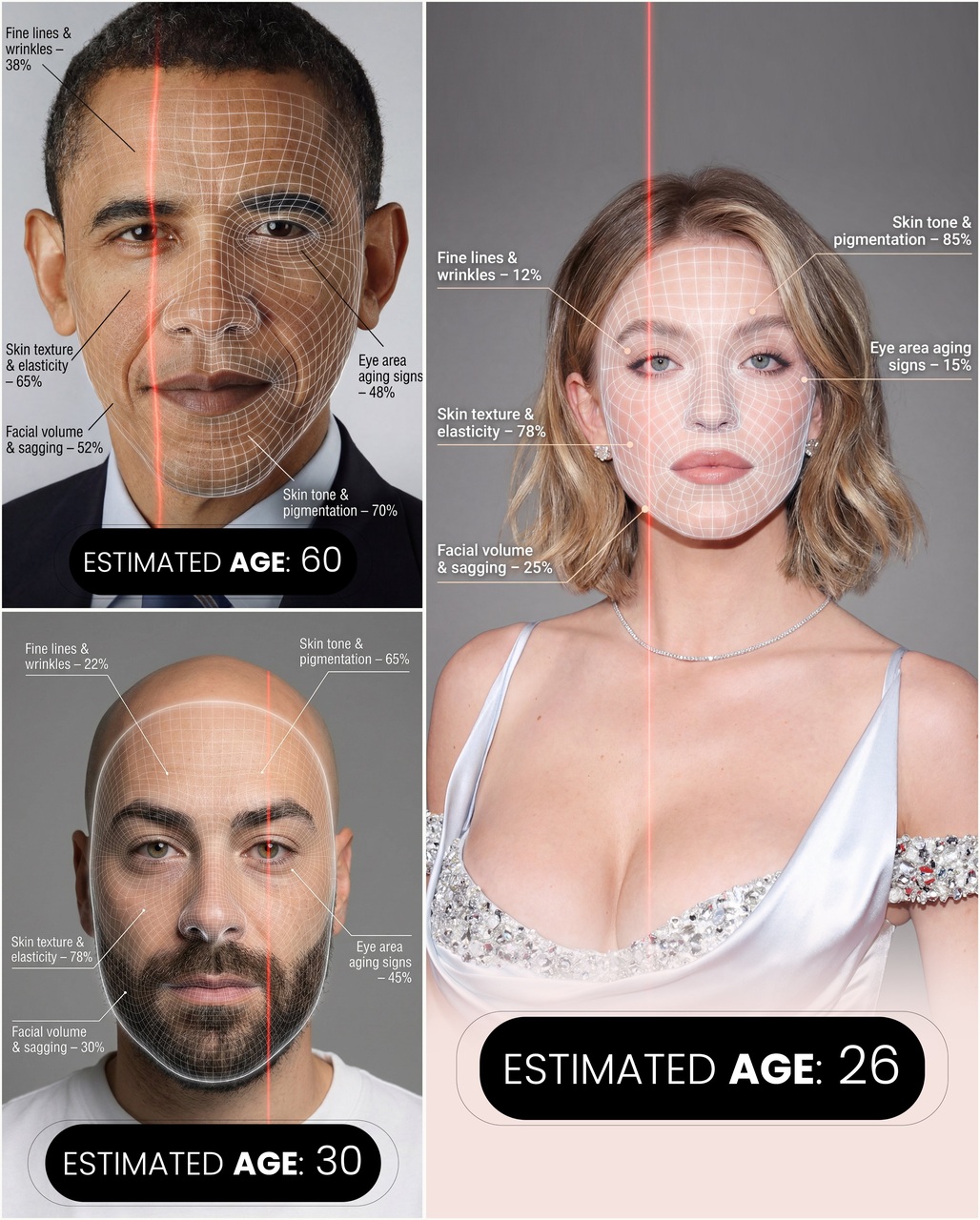 |
Input: Need to upload a reference image
Prompt:
Create a hyper-realistic, high-resolution portrait infographic based on (your photo). Keep the identity, hairstyle, clothing, and natural skin tone of the person in (your photo) unchanged, and use a neutral studio background. Overlay a subtle semi-transparent facial analysis grid on the entire face, similar to a 3D facial scan grid: fine, soft white lines extending along the facial contours, slightly glossy but not obscuring skin details. Add a clear vertical red laser line on one side of the face, like a futuristic scanning effect. All analysis lines must be soft, concise, and elegant, like a beauty technology advertisement. Create a concise medical beauty infographic using global data percentages to evaluate 5 aging factors: 1. Fine lines and wrinkles; 2. Skin texture and elasticity; 3. Facial volume and sagging; 4. Signs of aging around eyes; 5. Skin tone and pigmentation: For each factor, place a small label with a thin line pointing to the corresponding facial area, and write a short title and a 0-100% actual percentage score (based on global data) next to it, for example: "Fine lines and wrinkles - 18%" "Skin texture and elasticity - 72%" "Facial volume and sagging - 35%" "Signs of aging around eyes - 41%" "Skin tone and pigmentation - 63%". Use concise, modern sans-serif fonts and small technical style text, similar to scientific facial analysis user interface. In the bottom center of the image, display the estimated real age based on the analysis in bold large characters, for example: "Estimated Age: (random number based on facial analysis)". Overall style: Futuristic AI-guided skincare analysis, minimalist, high-end editorial lighting, gender-neutral, suitable for any face.
Example 18: Historical Newspaper (by @TechieBySA)
| Output |
|---|
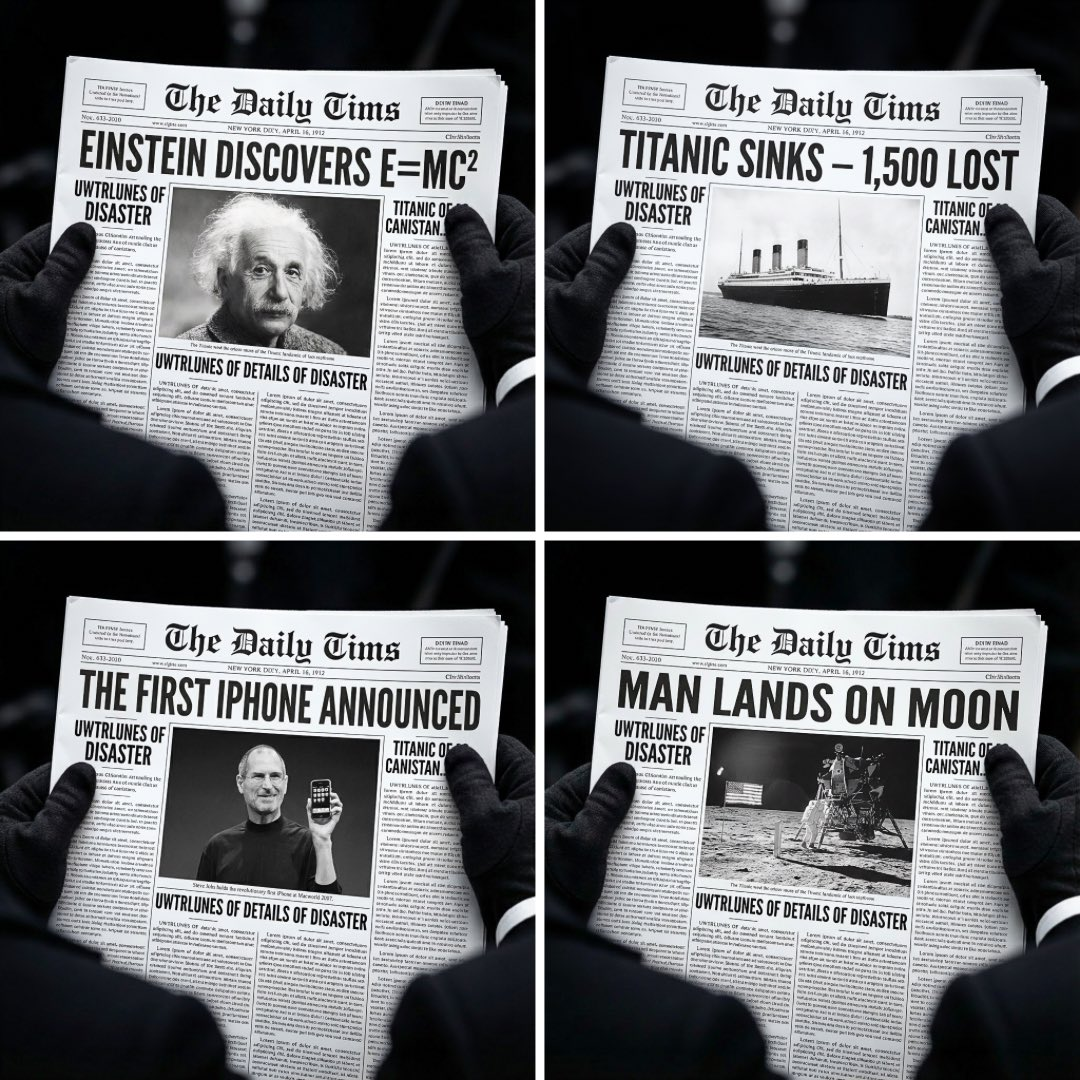 |
Prompt:
A 1080x1080 pixel close-up photo, hands holding a white newspaper, shot downwards. The background is extremely blurred and dark, making the newspaper stand out clearly. The newspaper occupies most of the picture, and its content is legible. The eye-catching headline is "[Headline]". In the center of the picture is a large black and white photo of [Photo Description]. The caption has many columns and is legible. Each shot maintains the same style, composition, lighting, characters, blur effect, layout and newspaper design, only changing the headline and photo.
[!NOTE] Need to input the required information in [] in the prompt
Example 19: Character Relationship Chart (by @KanaWorks_AI)
| Output |
|---|
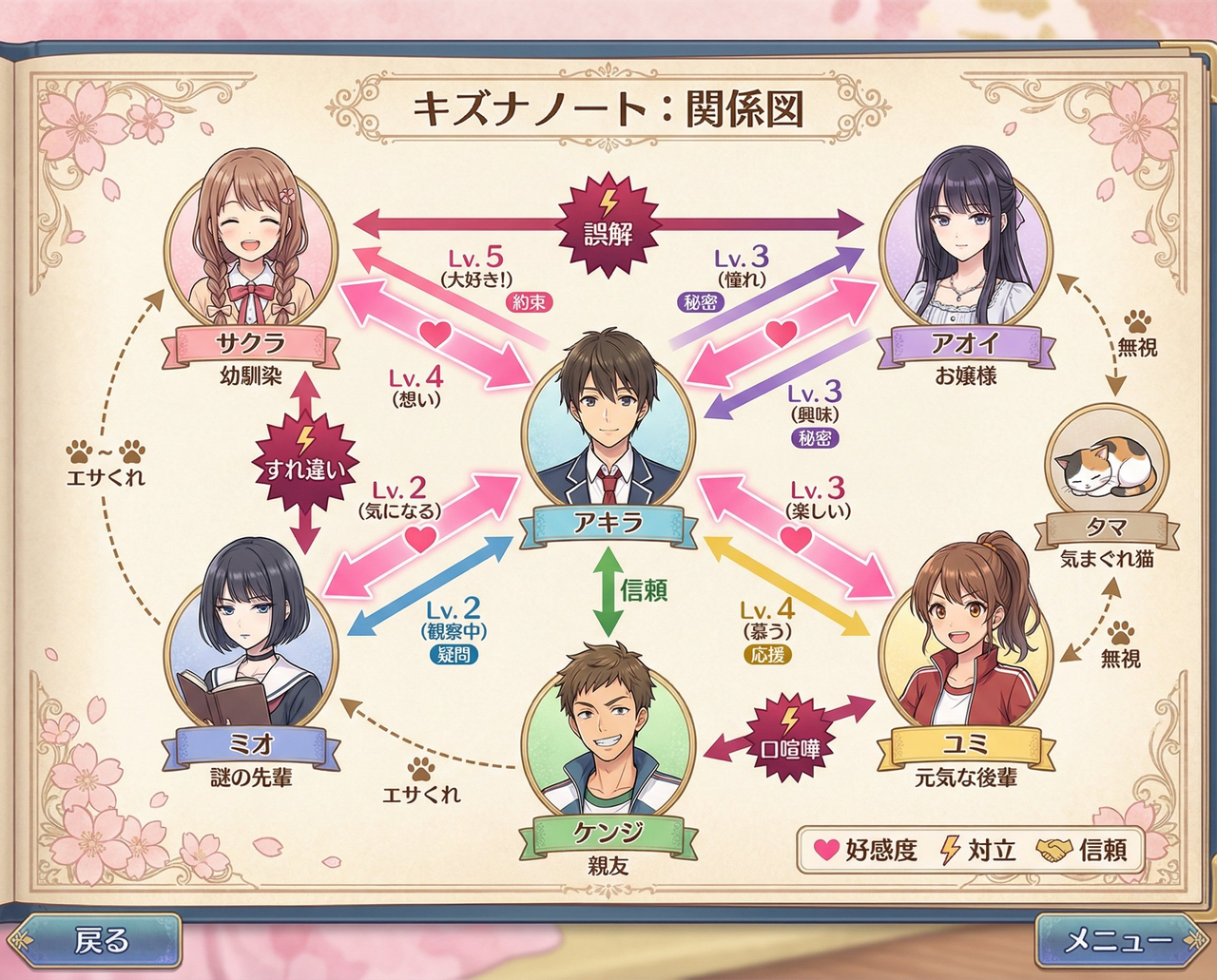 |
Prompt:
[Japanese Dating Sim Game] Character Relationship Chart. Includes character names, relationship arrows, affection levels, conflict points. [Romantic Comedy Style]. Total 7 characters.
Example 20: Otome Game Setting Collection (by @KanaWorks_AI)
| Output |
|---|
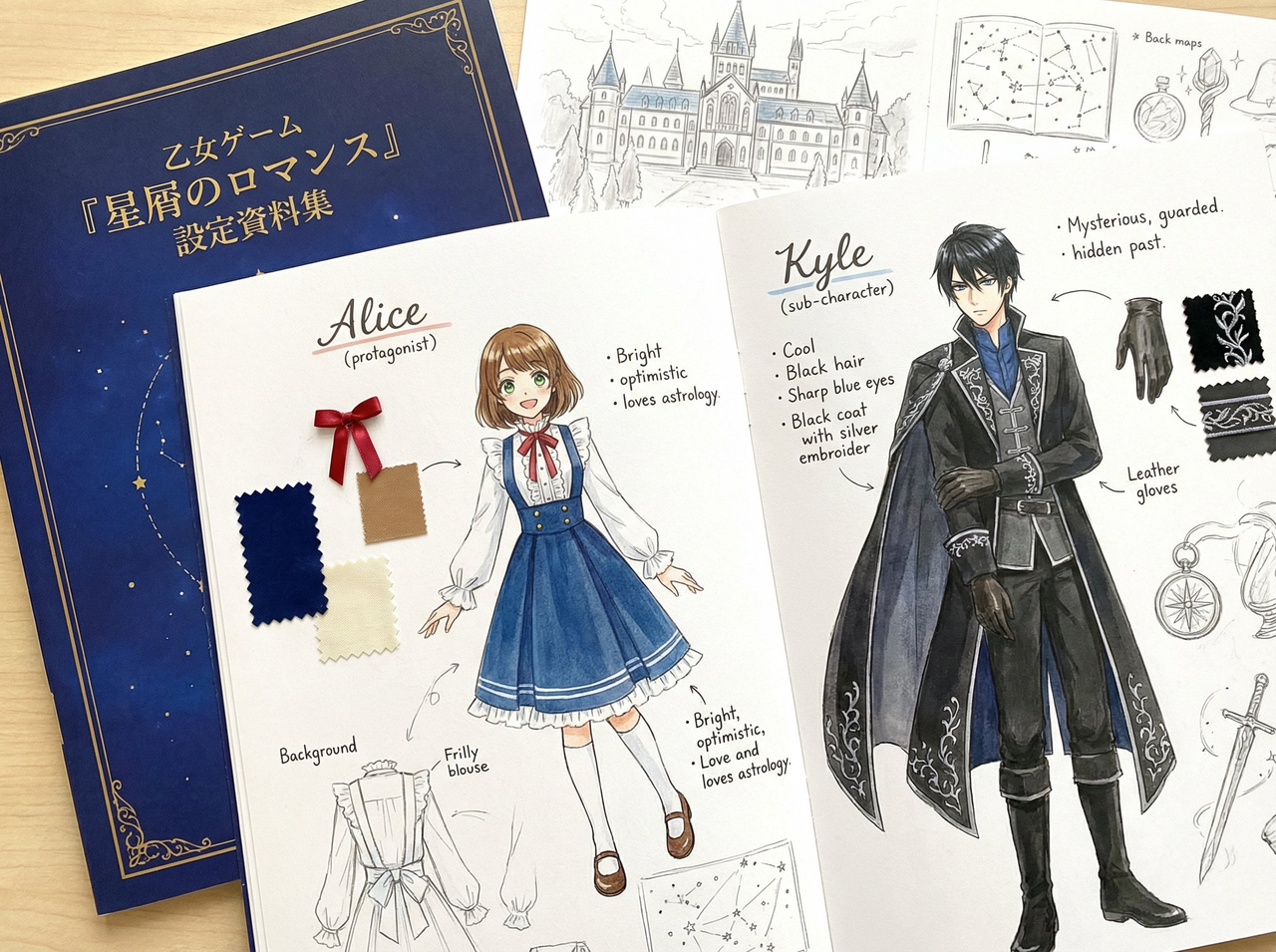 |
Prompt:
A set of background information for setting the protagonist and supporting characters of an Otome game.
Example 21: Character Level Evolution (by @KanaWorks_AI)
| Output |
|---|
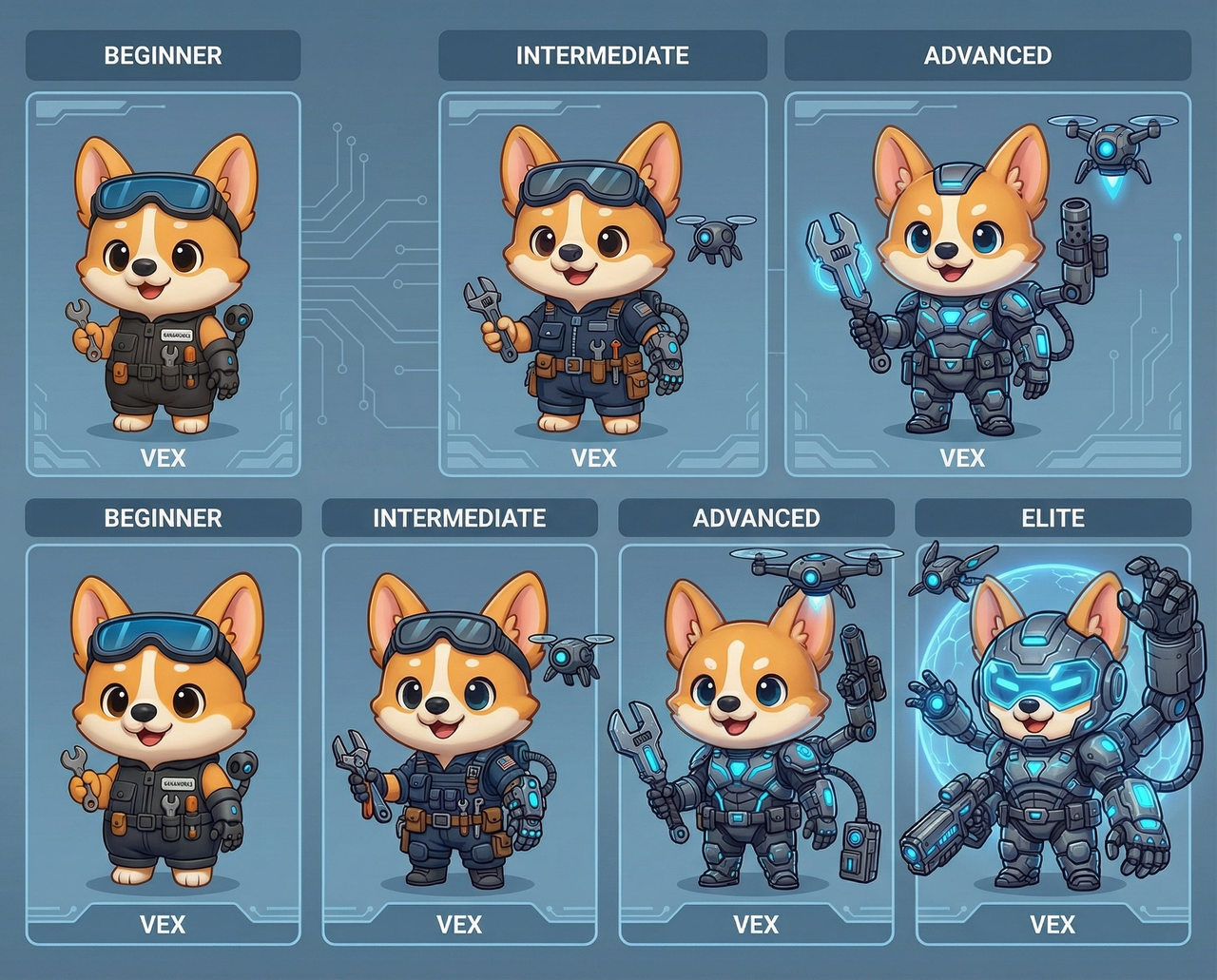 |
Prompt:
Game design illustration. Based on the reference image, create four versions of the character: beginner, intermediate, advanced, and elite. Each version should have a unique appearance and be arranged in order. Character name: [ A ]
[!NOTE] Need to input the required information in [] in the prompt
Example 22: Recursive Image (by @goodside)
| Output |
|---|
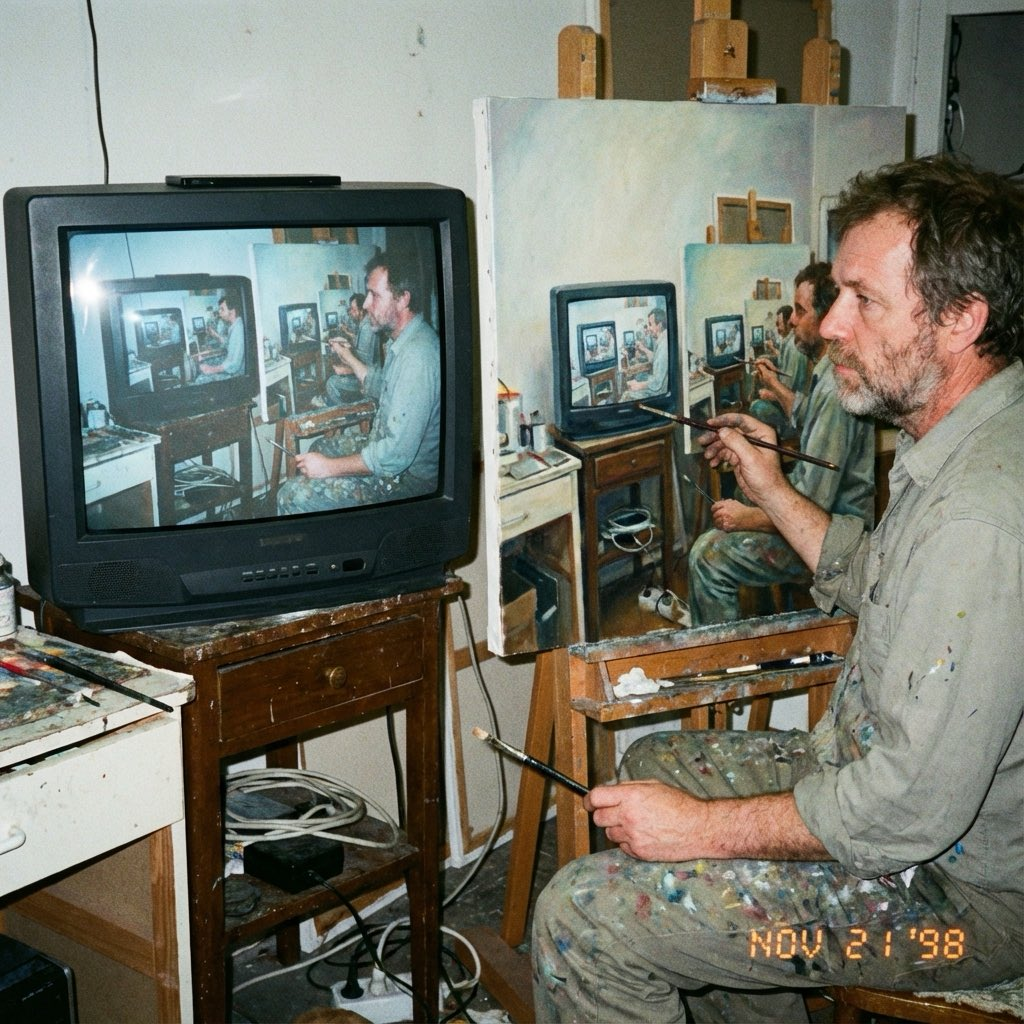 |
Prompt:
An amateur photo from 1998, showing a middle-aged artist hand-copying an image from a computer screen onto a canvas with oil paint, but the image itself is a photo of the artist painting a recursive image.
Example 23: Multi-Character Crossover Comic (by @canghecode)
| Output |
|---|
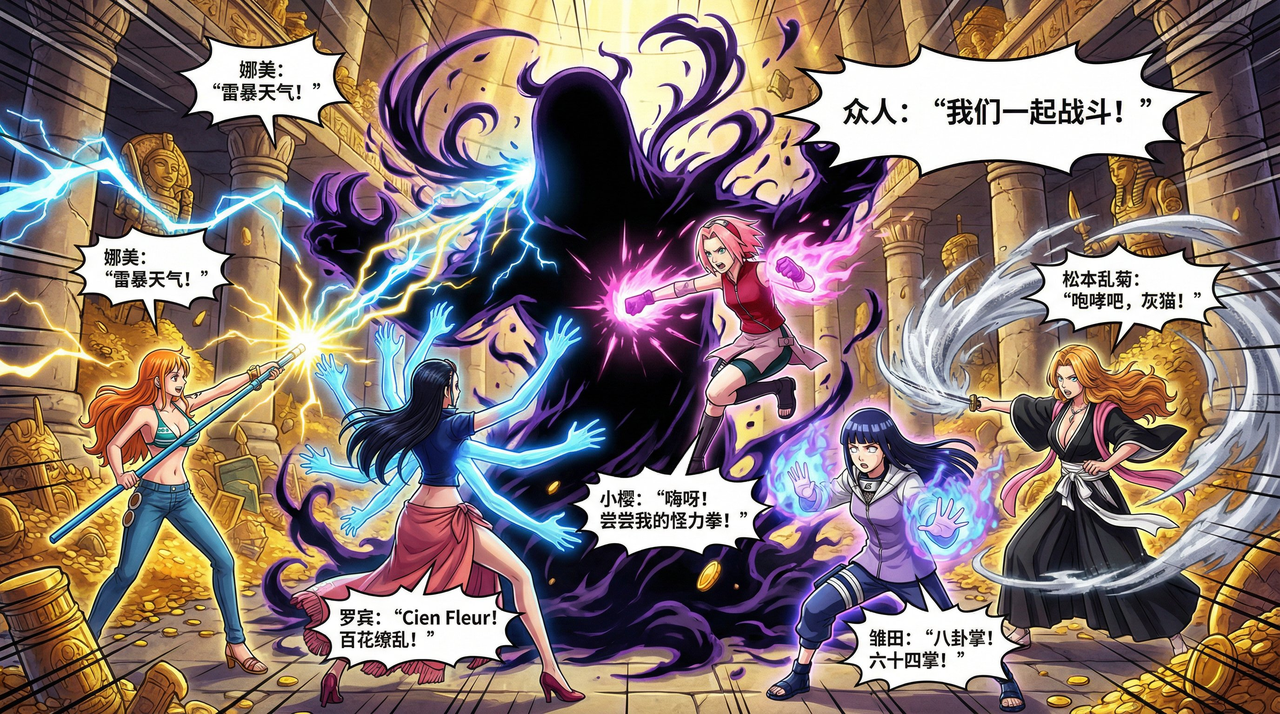 |
Prompt:
Help me generate a collection story of female characters in anime, including Nami, Robin, Sakura, Hinata, and Rangiku Matsumoto, in the form of a color comic, requiring Chinese.
Example 24: Coloring Figure Garage Kit (by @op7418)
| Example |
|---|
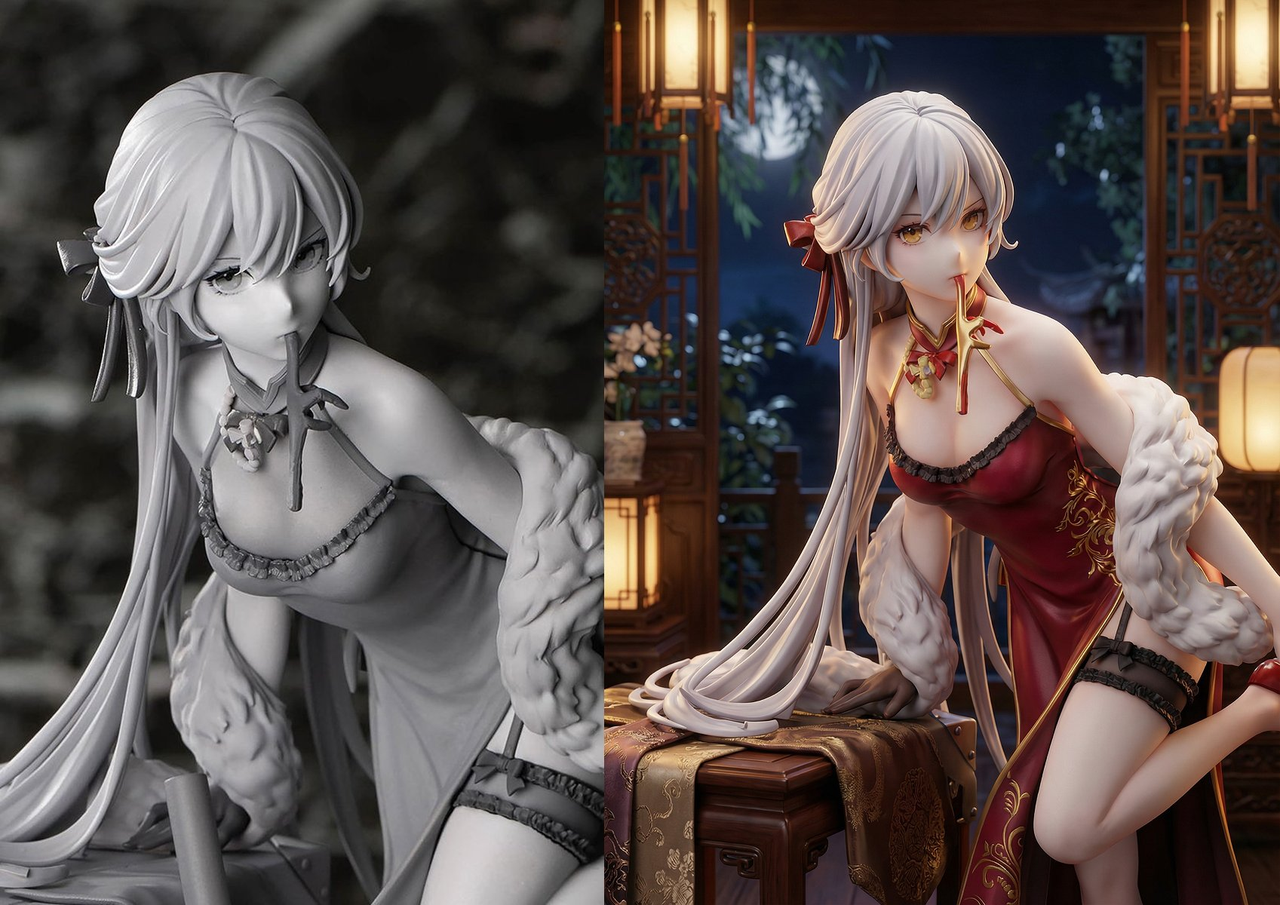 |
Prompt:
Add texture and color to this garage kit, and change the surrounding environment to an environment that matches the character setting.
Example 25: Golden Quote Card (by @stark_nico99)
| Output |
|---|
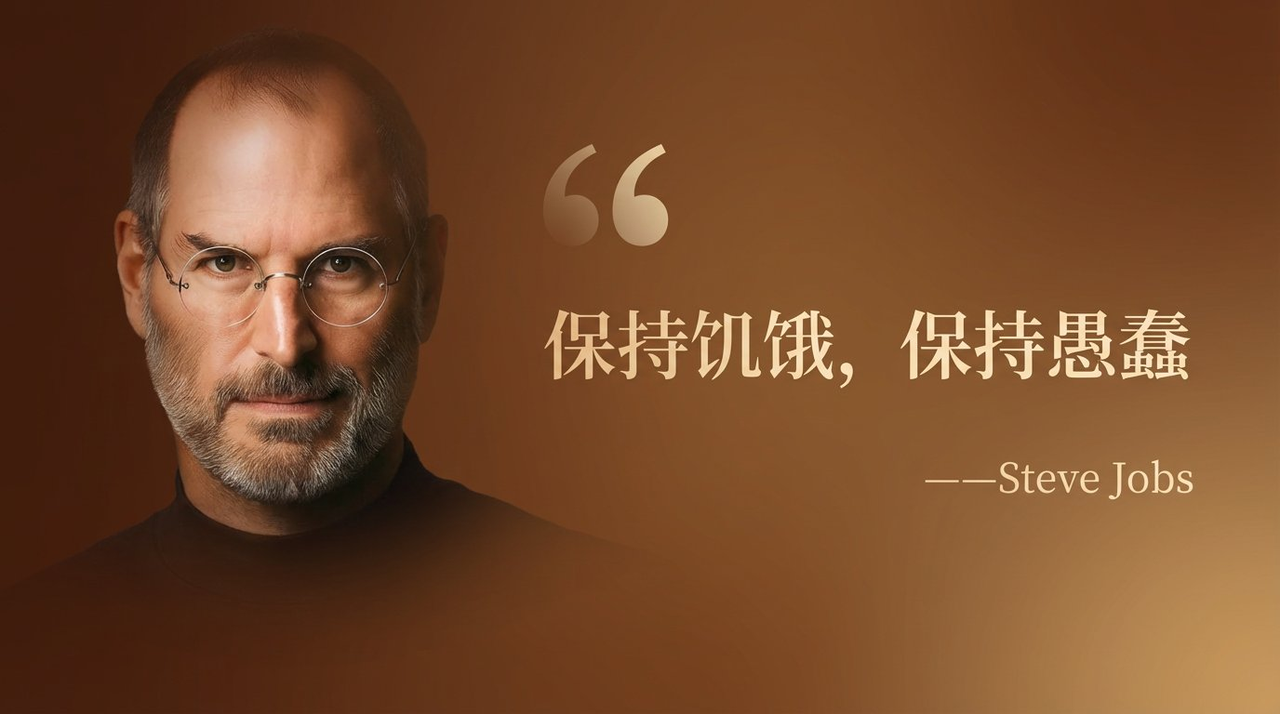 |
Prompt:
A wide celebrity quote card, brown background, serif light gold "Stay Hungry, Stay Foolish", small text "——Steve Jobs", a large faint quotation mark in front of the text, character portrait on the left, text on the right, text occupies 2/3 of the picture, character occupies 1/3, character has a gradient transition feeling.
Example 26: Qingming Shanghe Tu Style Image (by @dotey)
| Output |
|---|
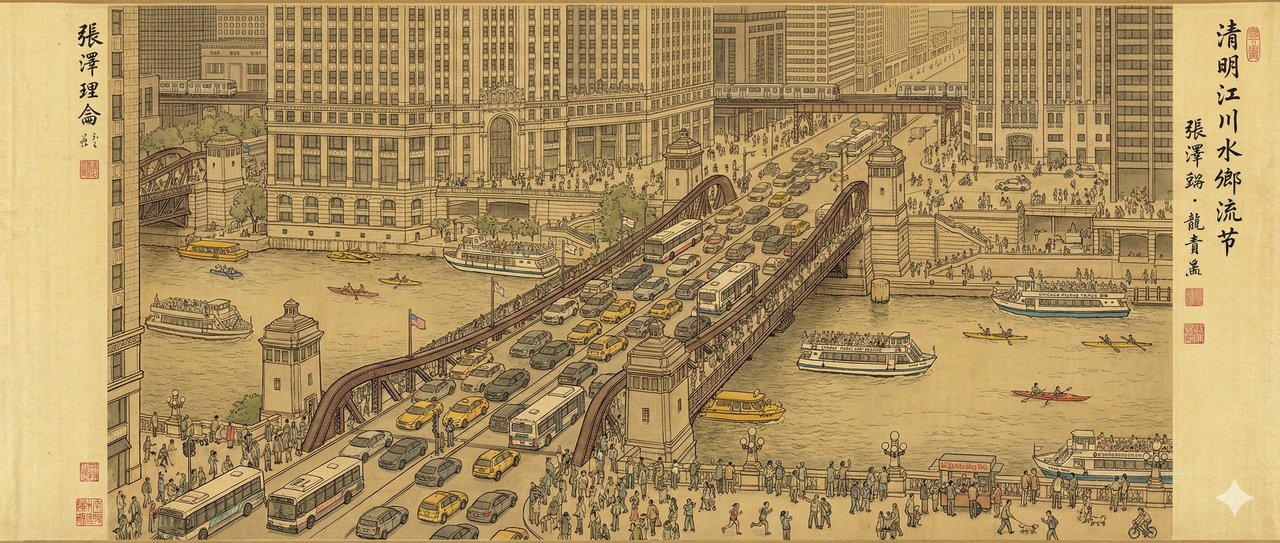 |
Prompt:
A magnificent, highly detailed traditional Chinese ink and color handscroll painting on ancient silk, perfectly mimicking the artistic style, brushwork, and scattered perspective of Zhang Zeduan's masterpiece "Along the River During the Qingming Festival".
Center Scene: Overlooking the bustling modern Chicago Riverwalk. The focus is the massive steel bascule bridge (DuSable Bridge/Michigan Avenue Bridge), with traffic, countless cars, yellow taxis, and Chicago Transit Authority (CTA) buses shuttling across, all depicted with precise traditional brushstrokes.
Environmental Details: On the Chicago River below, modern architectural style cruise ships, water taxis, and kayaks shuttle back and forth. Skyscrapers of various styles line the riverbanks (resembling the Wrigley Building and Tribune Tower), painted using traditional "Jiehua" architectural painting techniques. Elevated railways and moving "L" trains are visible in the background.
Human Activity: The Riverwalk and sidewalks by the bridge are crowded with hundreds of small figures in modern casual wear. Some are jogging, some are taking photos with smartphones, some are queuing at street food stalls (hot dog stands), and some are walking dogs. The whole scene is rich in detail, slightly chaotic, and presented in soft retro earth tones.
Example 27: Movie Storyboard Creation (by @jamesyeung18)
| Output |
|---|
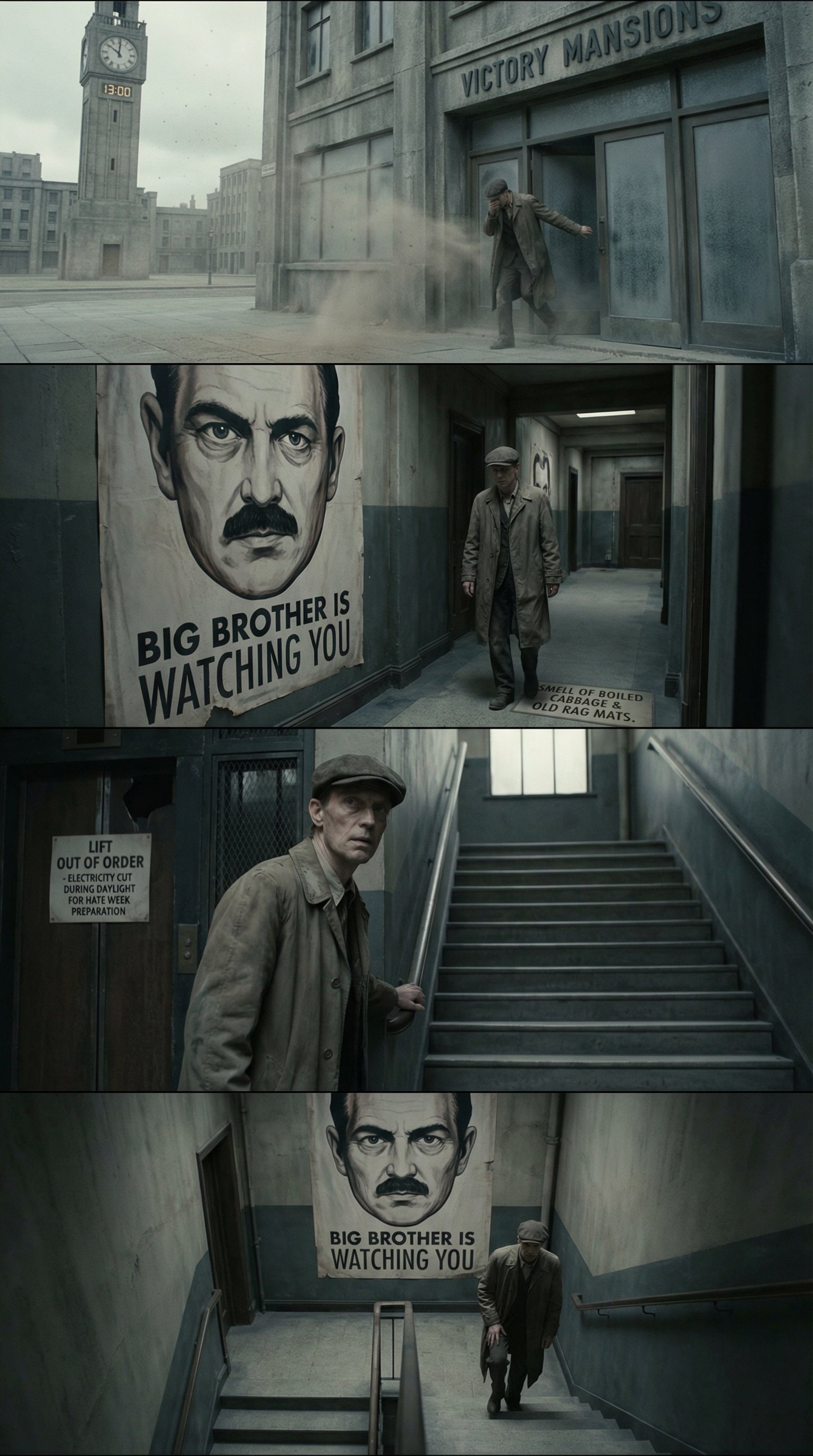 |
Prompt:
Use a widescreen panel to create a movie storyboard for the first page of "1984".
Example 28: Blackboard Chalk Drawing (by @TlanoAI)
| Input | Output |
|---|---|
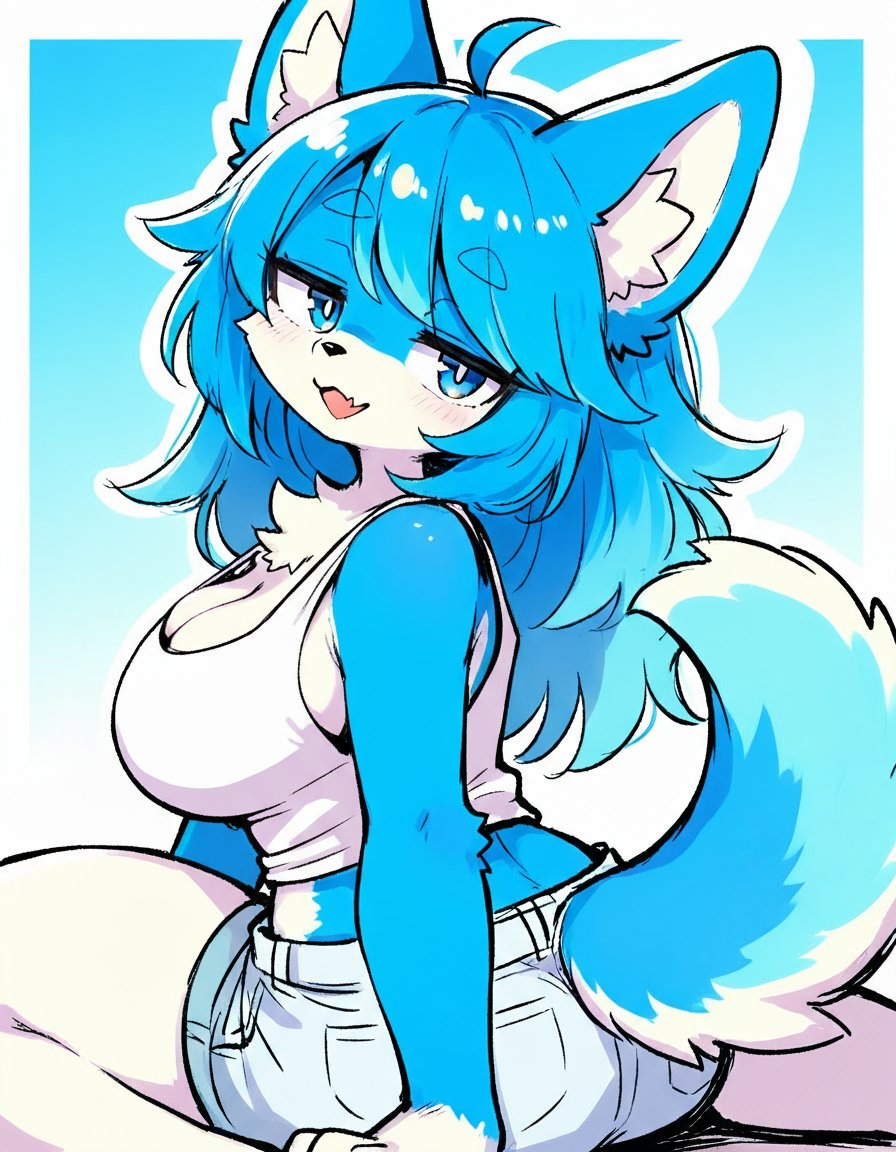 |  |
Input: Need to upload a reference image
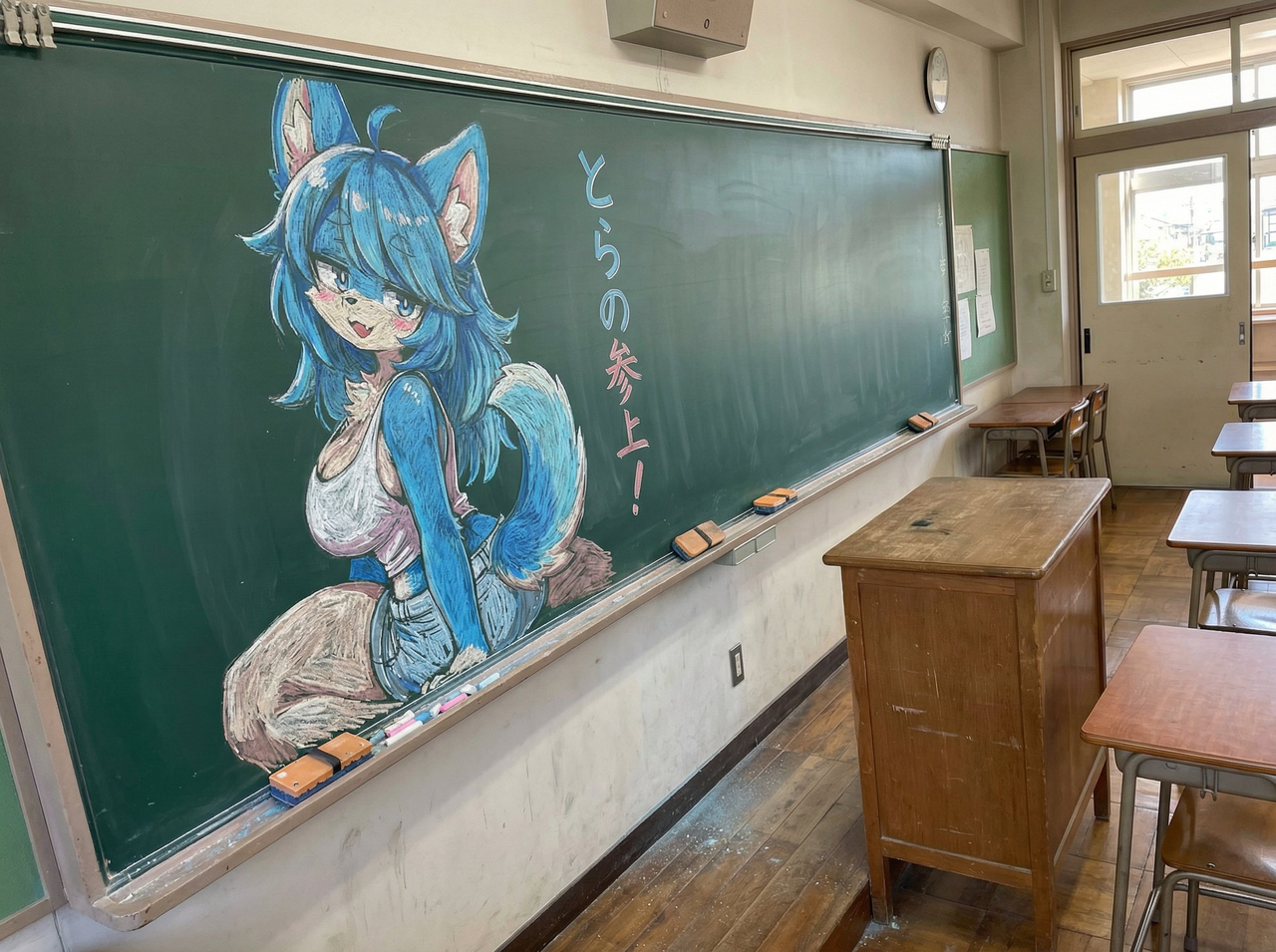
Prompt:
Draw this illustration with colored chalk on a blackboard, the blackboard is shot from an angle, the scene is from a Japanese classroom, the blackboard is placed against the wall, the teacher's desk is in front, and "Tiger is coming!" is written in chalk next to the illustration.
Example 29: Miniature Self-Portrait (by @TechieBySA)
| Output |
|---|
 |
Input: Need to upload a reference image
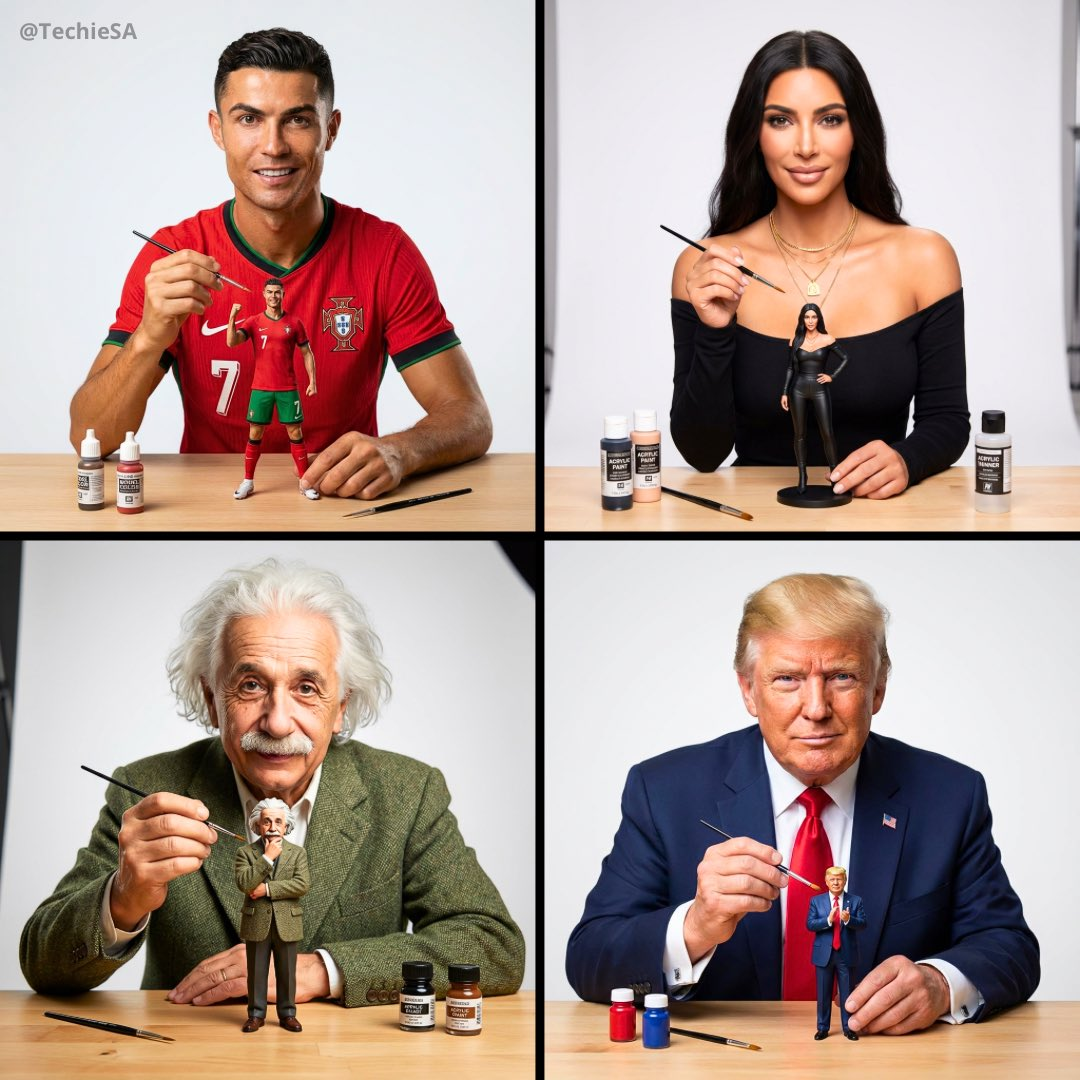
Prompt:
Create a portrait depicting the person as an artist painting a miniature figure. The person is dressed in their most iconic outfit, looking confidently directly at the camera, holding a small paintbrush in one hand. A mini version of themselves is prominently placed on a clean workbench in front of them—make the figure slightly larger to be more visible than actual scale, thus standing out more. The figure is also wearing the same iconic outfit and striking an iconic pose. The painting supplies on the workbench are minimal to avoid clutter—only two or three small bottles of paint and a spare brush, keeping the focus on the person and the figure. Soft neutral white background, professional studio lighting, shallow depth of field. The composition highlights the person's facial expression looking at the camera and the figure they are painting. The style is clean and crisp, pursuing photorealistic effects, and details of both the person and the figure need to be highly restored.
Example 30: Generate Biography from Wikipedia (by @chrisfirst)
| Output |
|---|
 |
Input: Need to upload wikipedia link
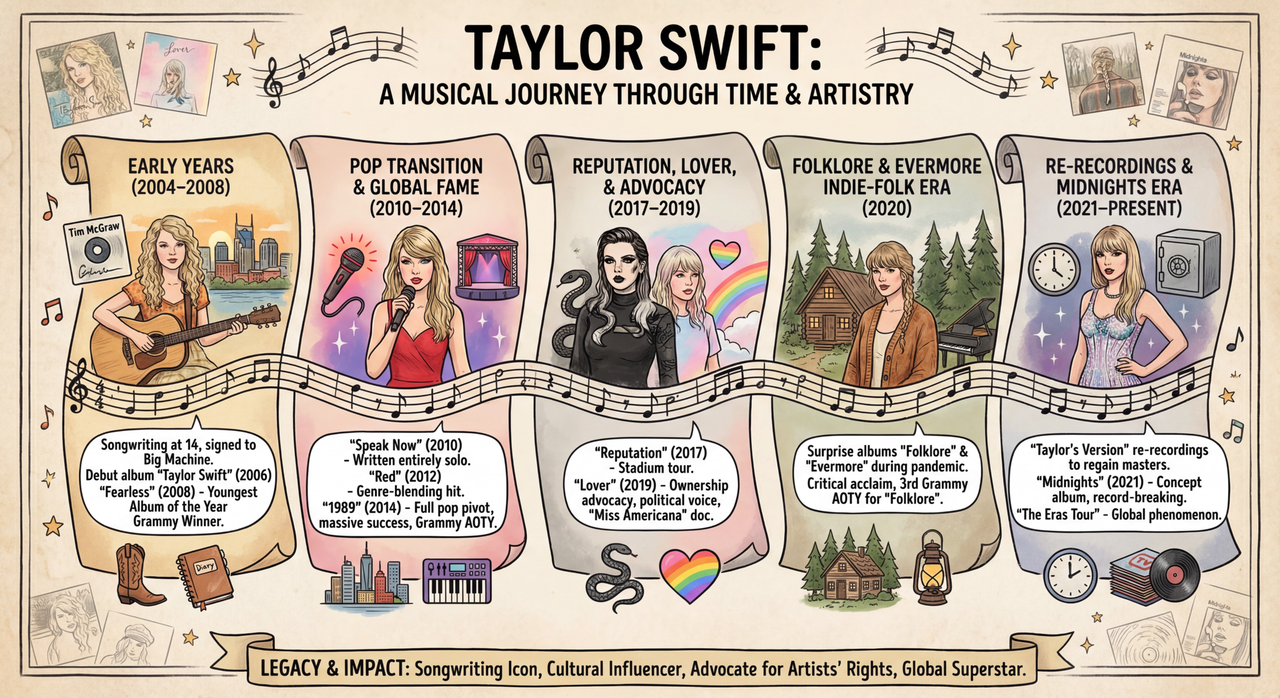
Prompt:
Create an infographic about this person's life based on this article [Wikipedia Page].
[!NOTE] Need to input the link in [] in the prompt
Example 31: Stylized Map (by @Mr_AllenT)
| Input | Output |
|---|---|
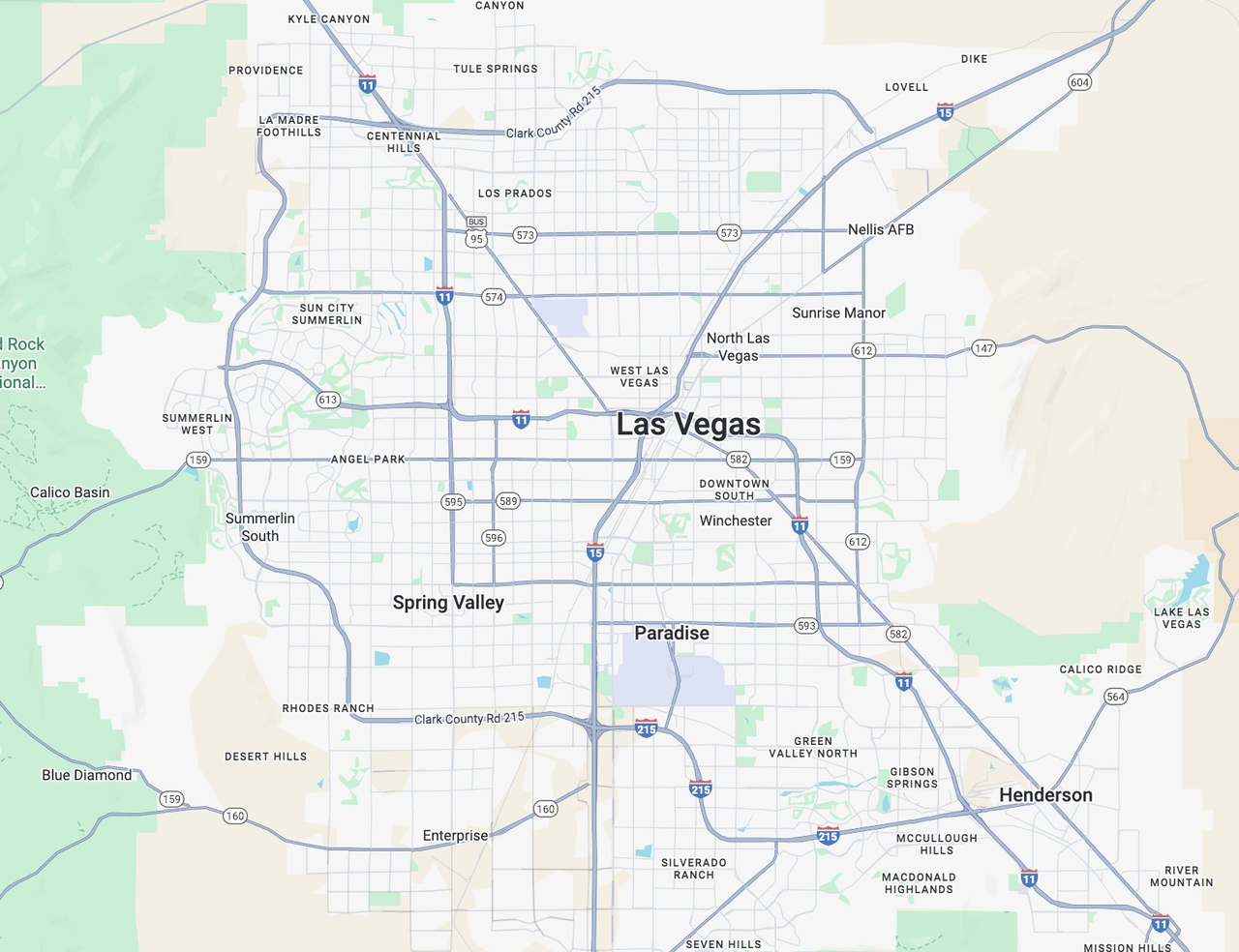 | 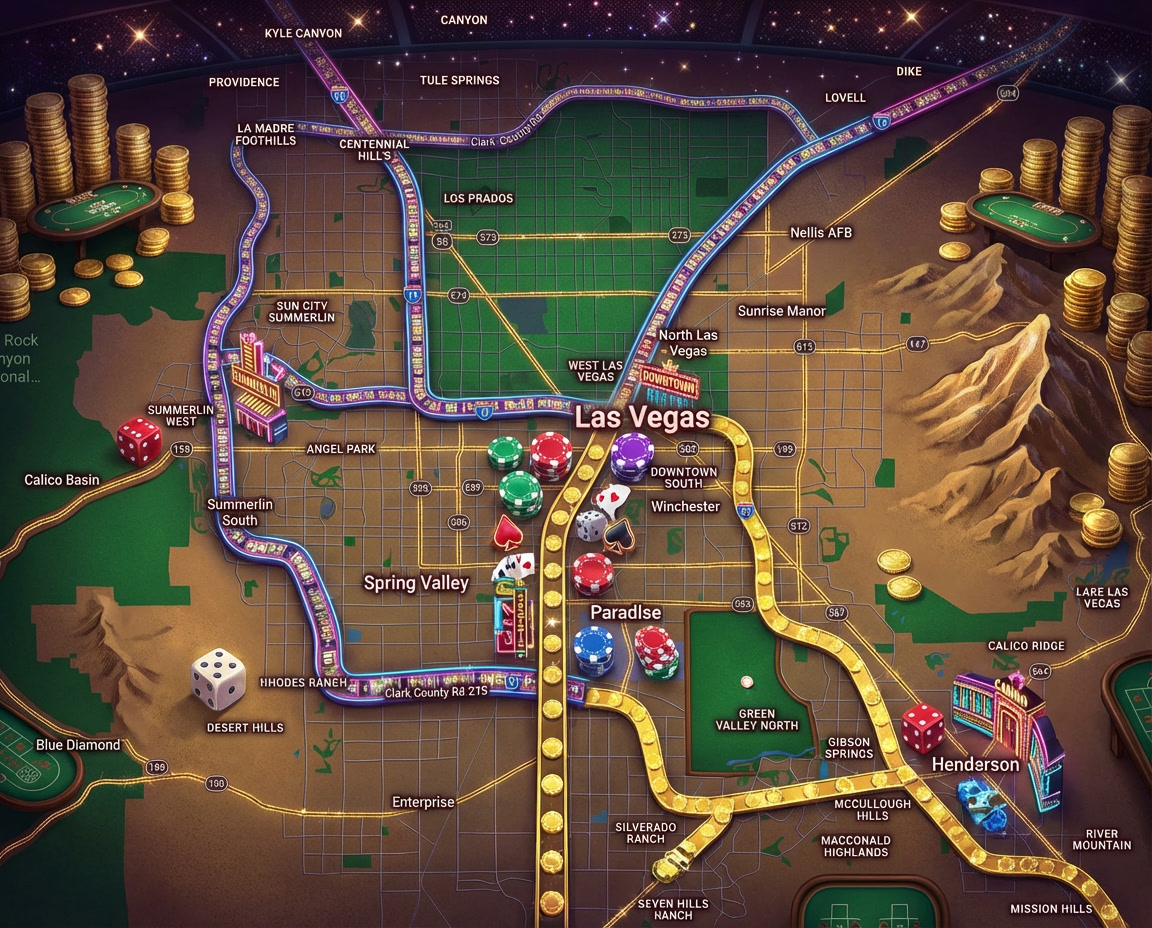 |
Input: Need to upload a google map image
Prompt:
Please show me a Las Vegas casino style aerial view.